Table of Contents
The Google Map Pack shows three businesses at the top of local search results. If your business is not there, you are losing customers to competitors who show up first. Local customers click these three listings before scrolling to other results.
Getting into the Map Pack takes more than setting up a profile. Google looks at your Business Profile, reviews, citations, website, and local authority before choosing who appears. Most businesses see results in 3-6 months with consistent work.
This guide shows you exactly how to get into Google Map Pack. You will learn the step-by-step process to optimize your profile, collect reviews, build local signals, and outrank competitors.
What Is the Google Map Pack?
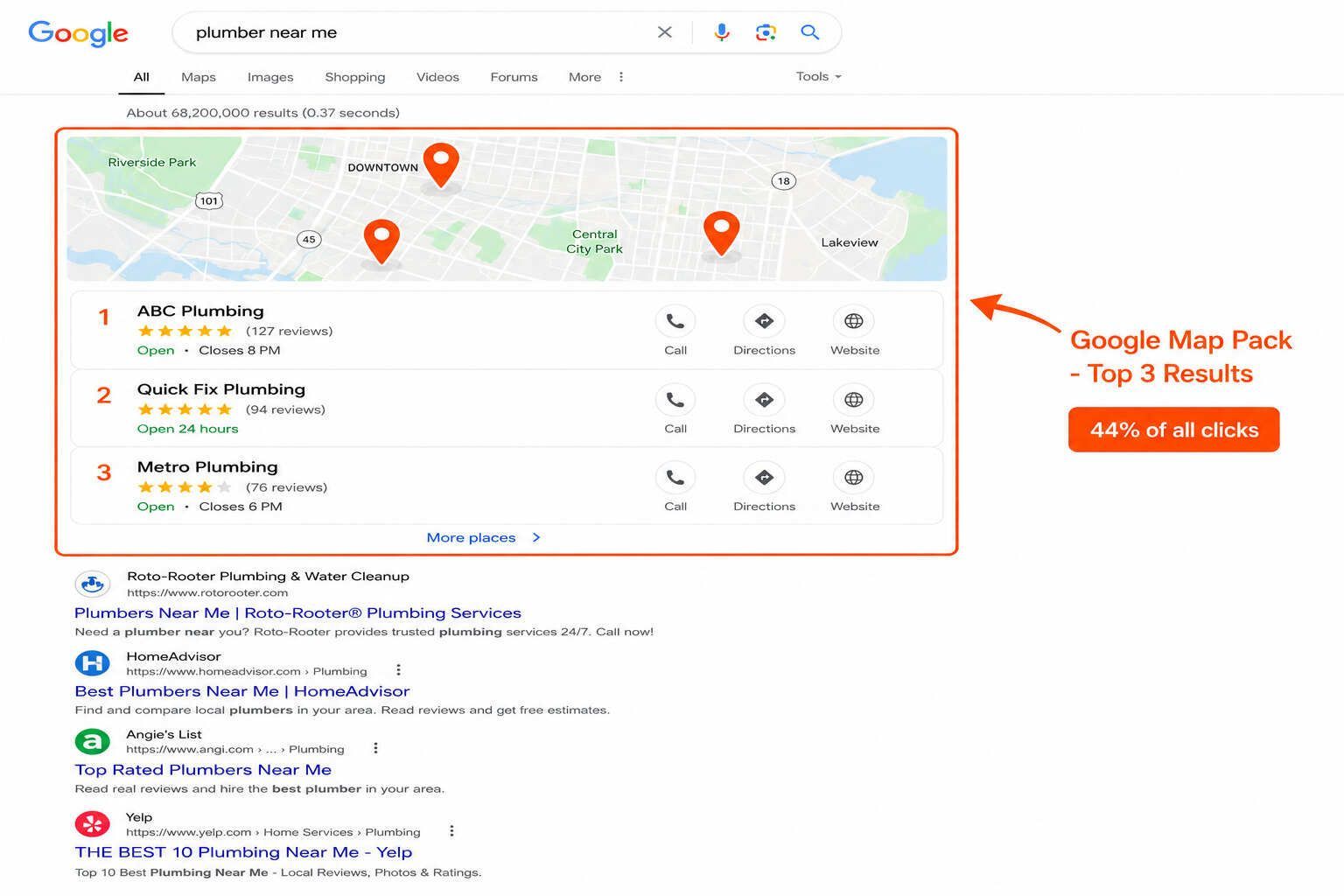
The Google Map Pack is the block of three business listings that appears at the top of local search results. It shows a map with red pins and three businesses below it. Each listing includes the business name, star rating, address, hours, and phone number.
When someone searches for “plumber near me” or “coffee shop downtown,” the Map Pack appears first. Only three businesses appear in this prime spot. The rest show up below or when users click “More places.”
Studies show the Map Pack gets 44% of all clicks on search results. If you are not in the top three, you miss most local search traffic. That is why learning how to get into Google Map Pack is critical for local businesses.
Why the Map Pack Matters for Local Businesses
The Map Pack drives more calls, directions, and customers than regular search results. When your business shows up in the top three, people see your name, reviews, and contact info immediately. They can call you with one tap on mobile.
Local service businesses like plumbers, electricians, dentists, and contractors get most of their leads from the Map Pack. If you rank outside the top three, customers choose your competitors first. Most searchers never scroll past the Map Pack to see other results.
Getting into the Map Pack means more visibility, more calls, and more booked jobs. That is why Google Business Profile optimization and local SEO are essential for any business that serves local customers.
How Google Ranks Businesses in the Map Pack
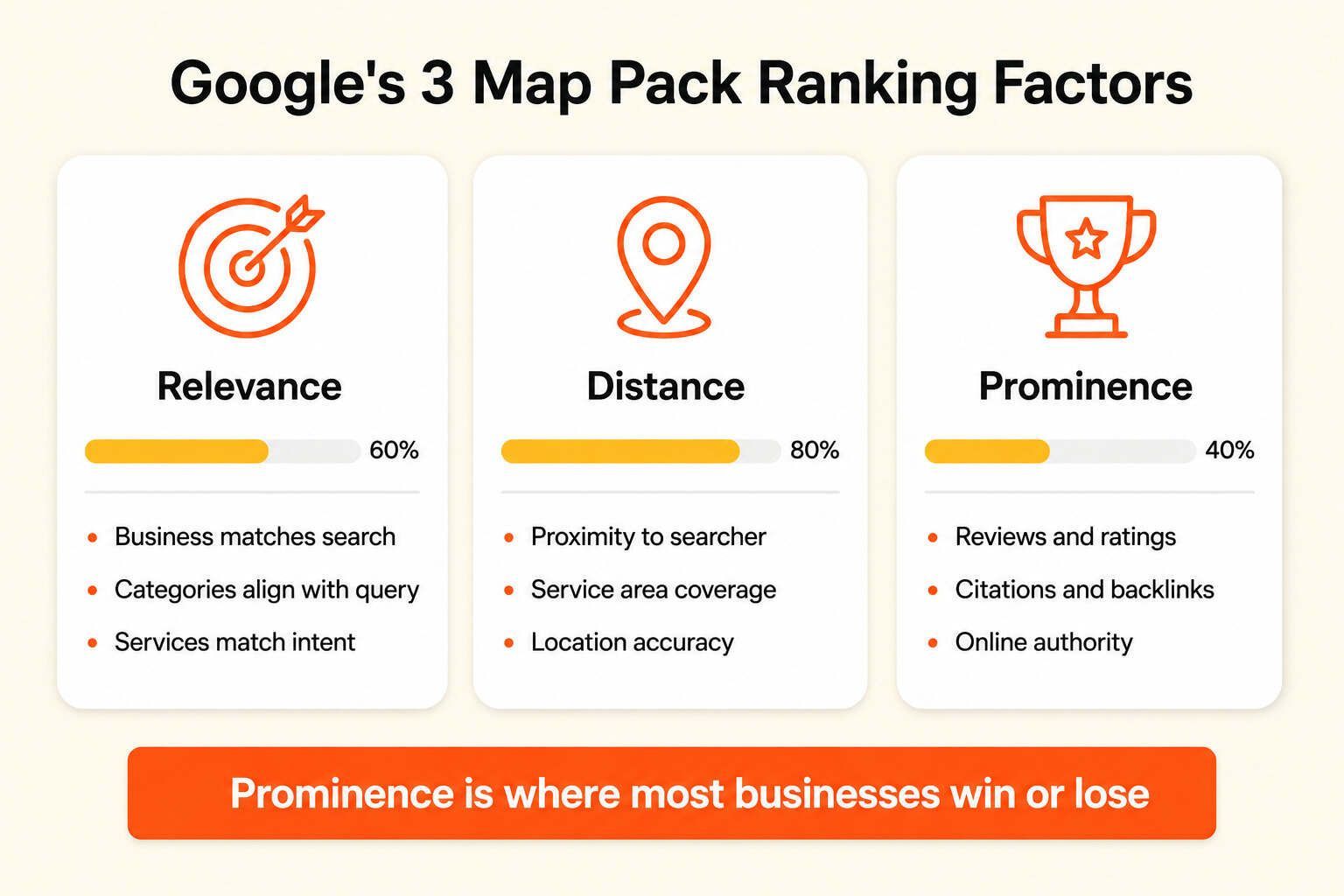
Google uses three main factors to rank businesses in the Map Pack: relevance, distance, and prominence. All three matter, but prominence is where most businesses win or lose.
Relevance means your business matches the search. If someone searches for “emergency plumber,” Google looks at your profile categories, services, and website to see if you offer emergency plumbing. Your Google Business Profile and website content need to match what customers search for.
Distance is how close your business sits to the searcher. Google favors businesses near the person searching. You cannot control where customers search from, but you can serve specific neighborhoods with strong local signals.
Prominence is how well-known and trusted your business appears online. Reviews, citations, backlinks, and brand mentions all build prominence. The more trust signals Google sees, the higher you rank.
Most businesses struggle with prominence. You cannot change your location, and Google knows what services you offer. But you can build reviews, citations, and backlinks to prove you are trusted and established.
Step 1: Claim and Verify Your Google Business Profile
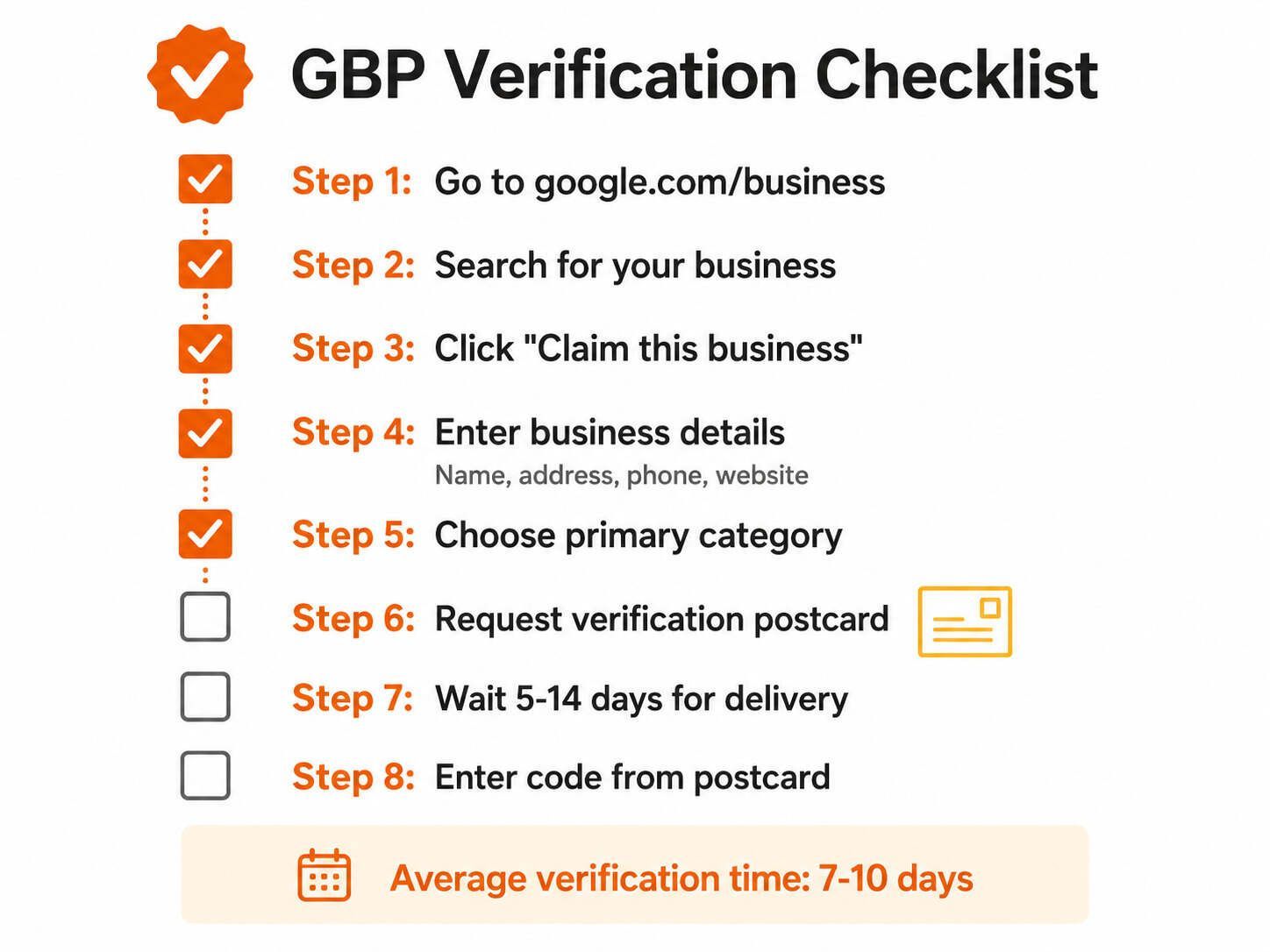
The first step to get into Google Map Pack is claiming your Google Business Profile. If your profile is not verified, Google will not rank you.
Here is how to claim and verify your profile:
-
Go to google.com/business and sign in with your Google account.
-
Search for your business name to see if a profile already exists.
-
If your business is listed, click “Claim this business.” If not, click “Add your business to Google.”
-
Enter your business name, address, phone number, and website.
-
Choose your primary business category carefully. This tells Google what you do.
-
Request verification. Google will mail a postcard with a code to your address.
-
Enter the code from the postcard to verify your profile.
Without verification, your business will not show up in the Map Pack. Make sure you verify your profile before doing anything else.
For help with Google Business Profile setup, check out LocalHero’s Google Business Profile optimization services.
Step 2: Optimize Your Google Business Profile
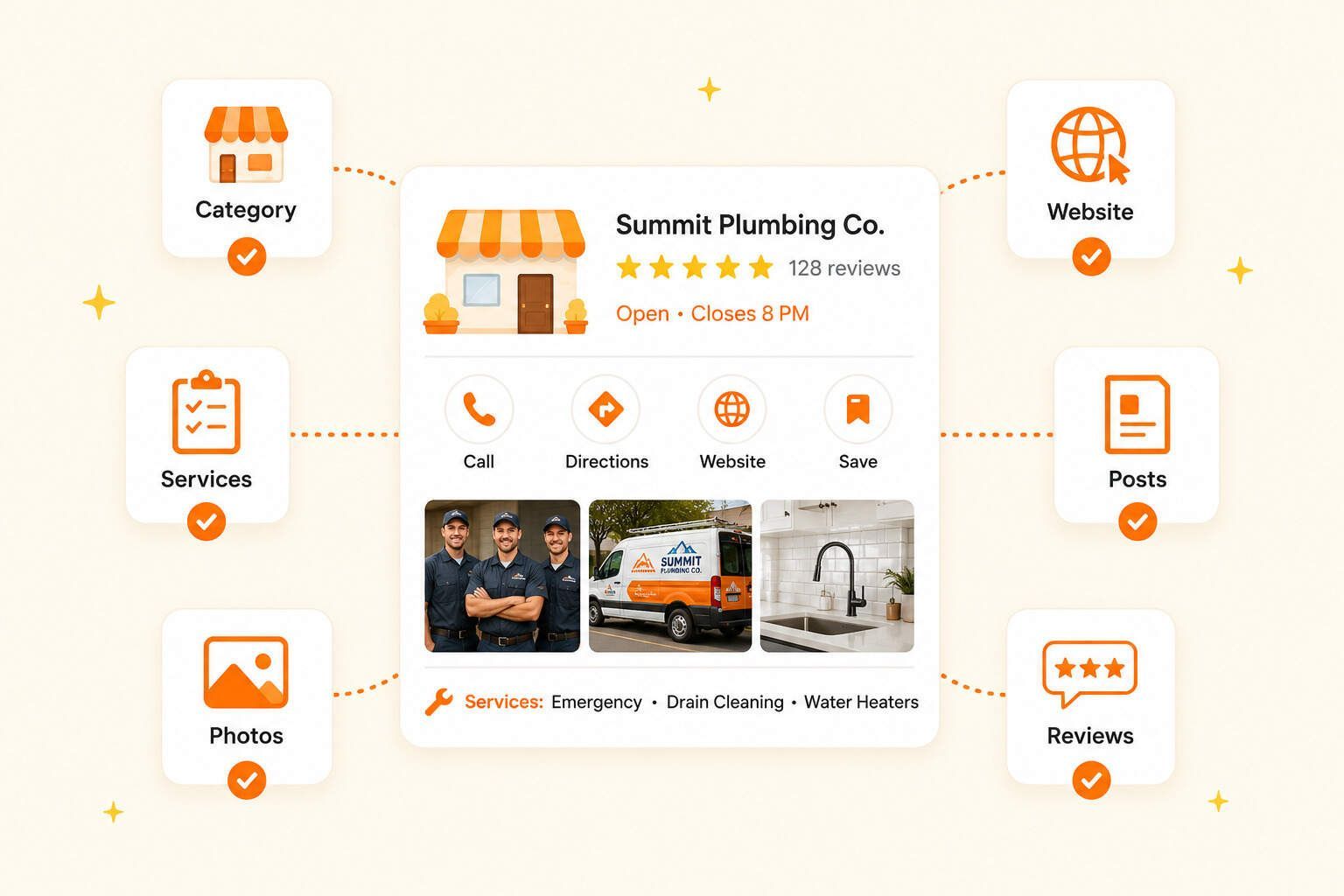
After verification, optimize every section of your Google Business Profile. Google looks at completeness, accuracy, and activity when ranking businesses.
Complete Your Profile 100%
Fill in every field. Add your business description, hours, website, phone number, and service area. The more complete your profile, the better Google understands your business.
Choose the Right Primary Category
Your primary category is the most important ranking signal. Choose the category that best describes your main service. For a plumber, choose “Plumber” not “Contractor” or “Handyman.” Google uses this to match your business with searches.
Add Services and Products
List every service you offer. If you are a plumber, add drain cleaning, water heater repair, leak repair, and emergency plumbing. This helps Google match your business with specific service searches.
Upload High-Quality Photos
Add photos of your team, trucks, completed work, and service area. Businesses with photos get more clicks and calls. Upload at least 10 photos and add new ones regularly.
Post Regular Updates
Use Google Posts to share updates, offers, and news. Posts show that your business is active. Post at least once a week to stay visible.
Step 3: Build Reviews and Respond to Customers
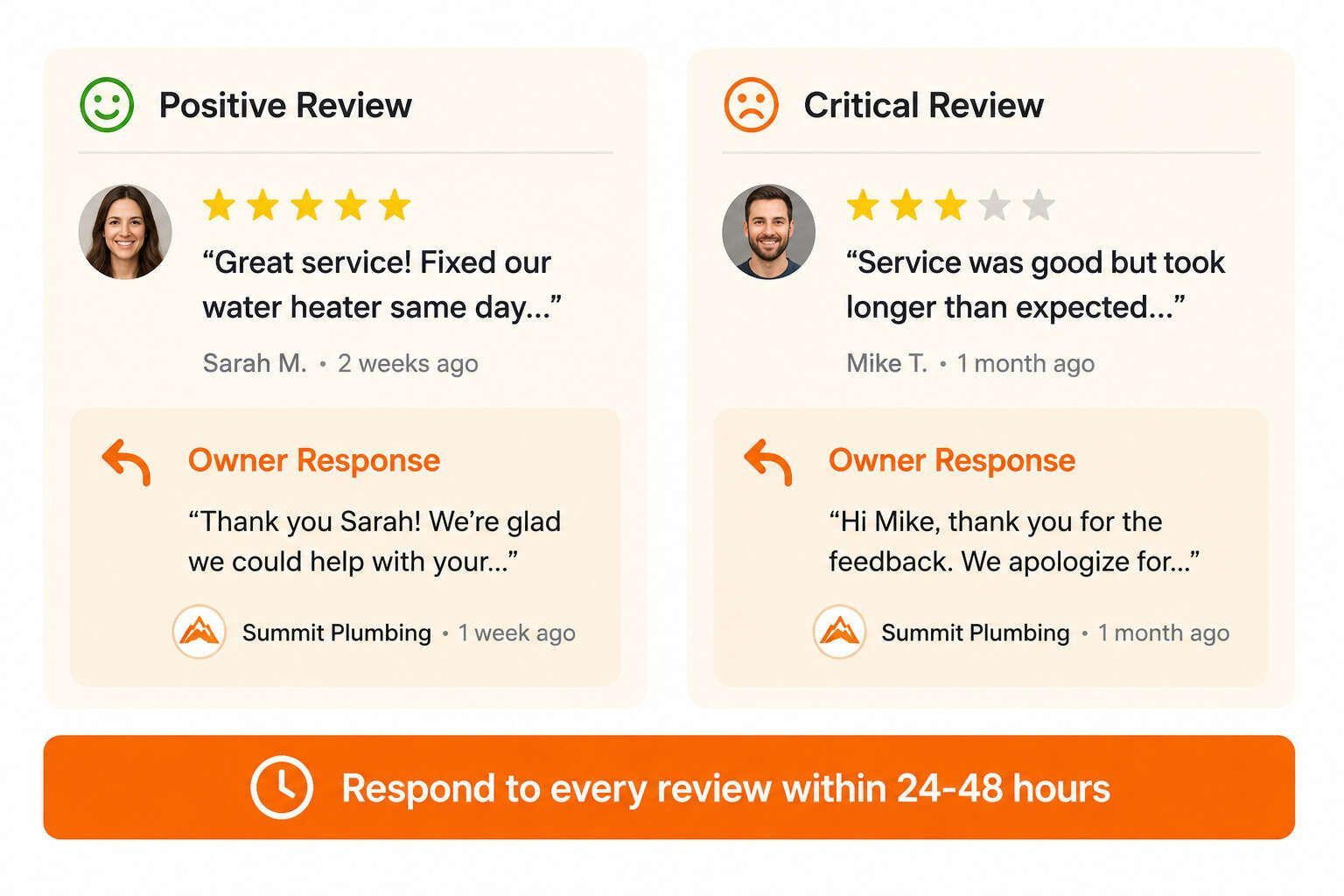
Reviews are one of the most powerful ranking signals. Businesses with more positive reviews rank higher in the Map Pack. Google also looks at how often you get reviews and how you respond to them.
How to Get More Reviews
-
Ask happy customers to leave a review after you finish a job.
-
Send a follow-up text or email with a link to your Google review page.
-
Make it easy by shortening your review link with a tool like Bitly.
-
Ask for reviews consistently, not just once in a while.
Respond to Every Review
Reply to positive and negative reviews. Thank customers for positive reviews and address concerns in negative ones. Google sees engagement as a trust signal. Businesses that respond to reviews rank higher.
For help with review management, visit LocalHero’s review management services.
Step 4: Build Citations and Local Backlinks
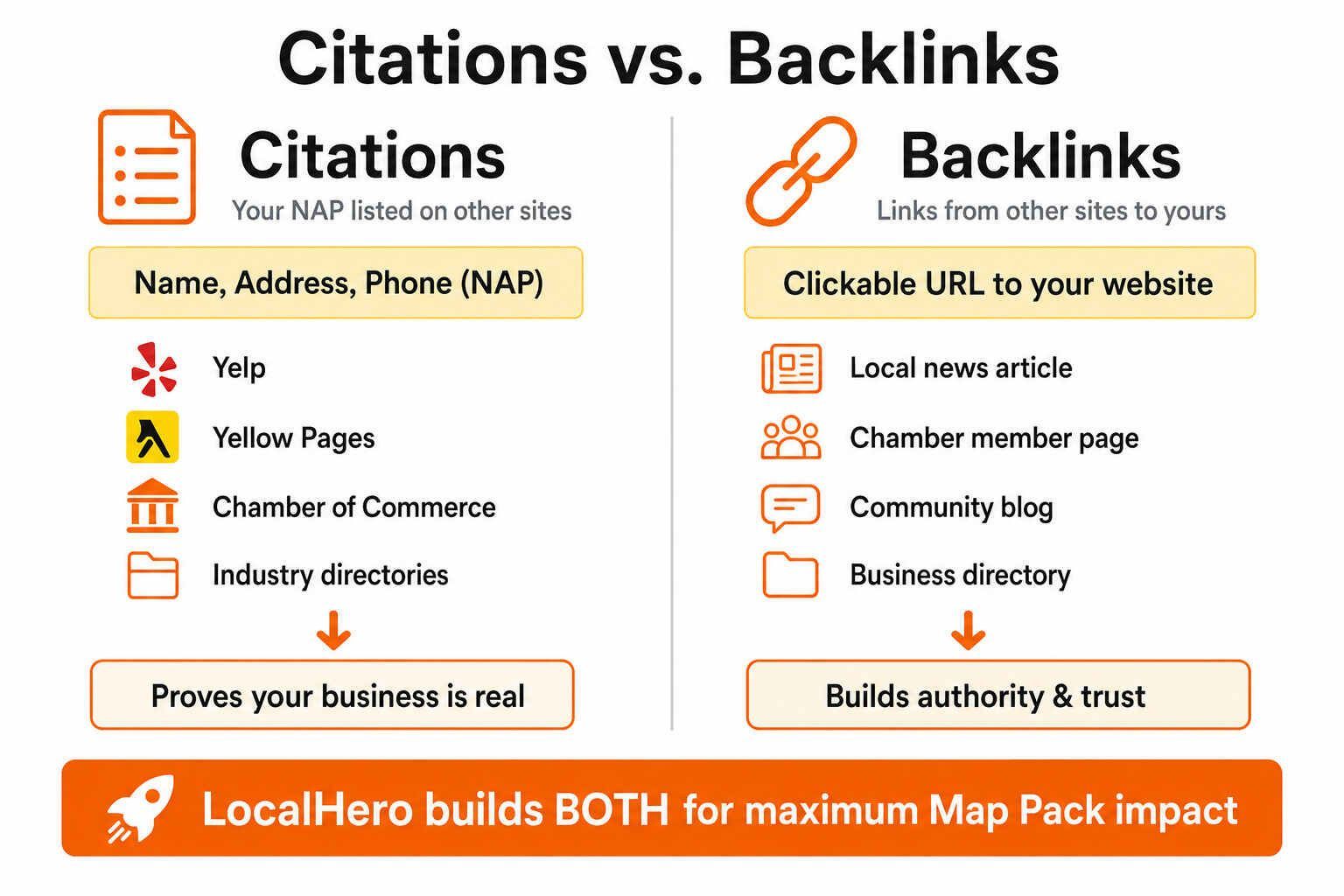
Citations and backlinks prove your business is real and trusted. Citations are mentions of your business name, address, and phone number on other websites. Backlinks are links from other sites to your website.
Build Local Citations
Get your business listed on local directories like Yelp, Yellow Pages, and industry-specific sites. Make sure your business name, address, and phone number match exactly across all listings. Inconsistent information confuses Google and hurts your rankings.
Earn Local Backlinks
Get links from local websites, news sites, and business directories. A backlink from your city’s Chamber of Commerce or local newspaper is more valuable than a random national site. Local backlinks tell Google you are established in your area.
LocalHero helps businesses build local citations and authority backlinks to boost Map Pack rankings.
Step 5: Optimize Your Website for Local SEO
Your website supports your Google Business Profile. Google looks at your website to confirm what services you offer and where you serve. A weak website can hurt your Map Pack rankings even if your profile is perfect.
Create Local Service Pages
Build pages for each service and location you serve. If you are a plumber in Austin, create pages like “Emergency Plumber Austin” and “Water Heater Repair Austin.” These pages help Google match your business with local searches.
Add LocalBusiness Schema
Schema markup gives Google structured data about your business. Add LocalBusiness schema with your name, address, phone number, hours, and service area. This helps Google understand and display your information correctly.
Make Your Site Mobile-Friendly
Most local searches happen on mobile devices. Make sure your site loads fast, displays correctly on phones, and has a click-to-call button. Google favors mobile-friendly sites in local rankings.
For help with website optimization, check out LocalHero’s site optimization services.
Step 6: Track and Improve Your Rankings
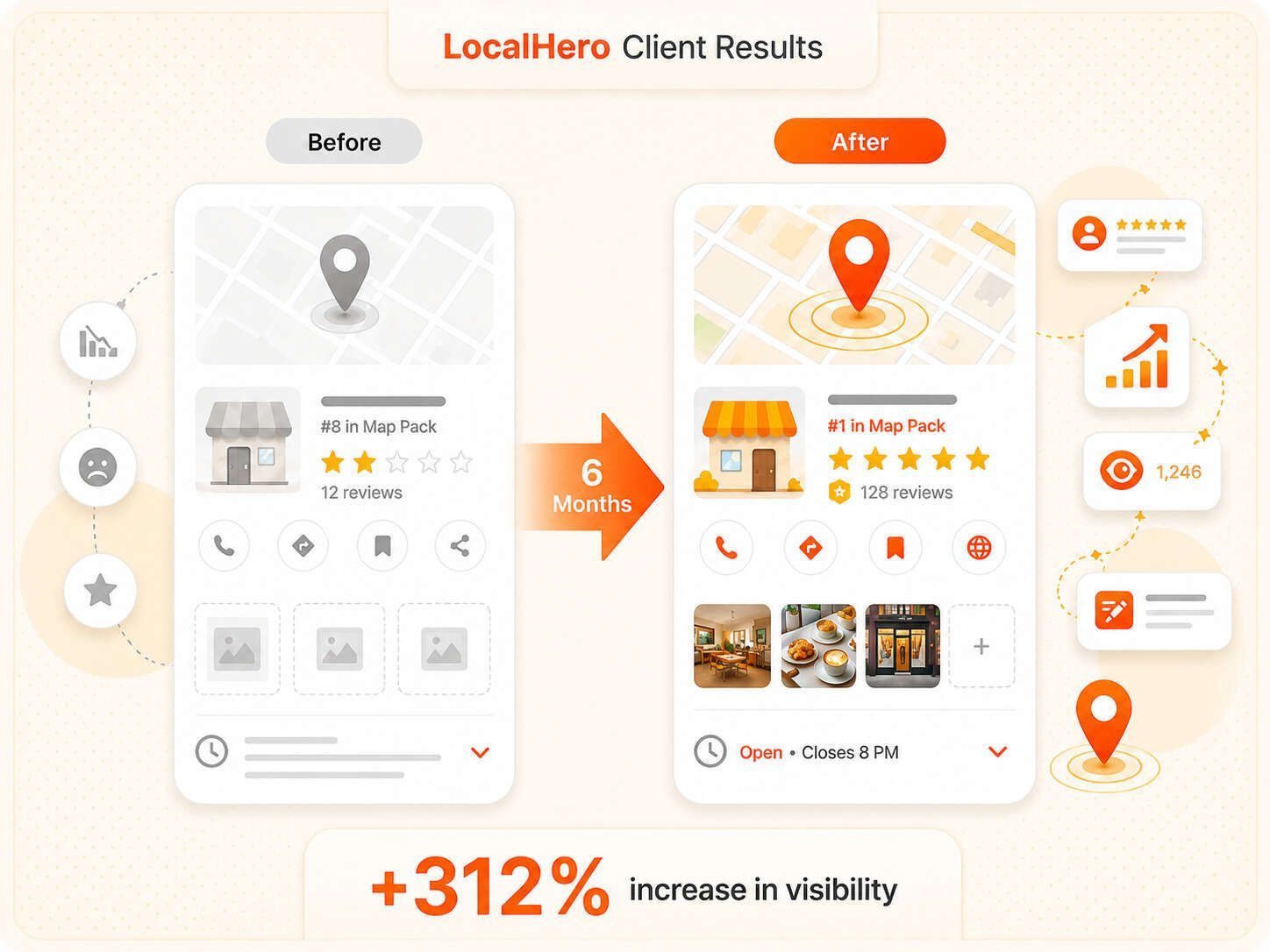
Once you start optimizing, track your progress. Use Google Business Profile Insights to see how many people view your profile, call you, or visit your website. Track your Map Pack position for key searches like “plumber near me” or “emergency electrician.”
Check your rankings from different locations. Your ranking changes based on where someone searches from. Use local rank tracking tools to see where you rank across your service area.
Review your performance monthly. Look at calls, direction requests, and website clicks. If something is not working, adjust your strategy. Consistent tracking helps you find what works and fix what does not.
Common Mistakes That Hurt Map Pack Rankings
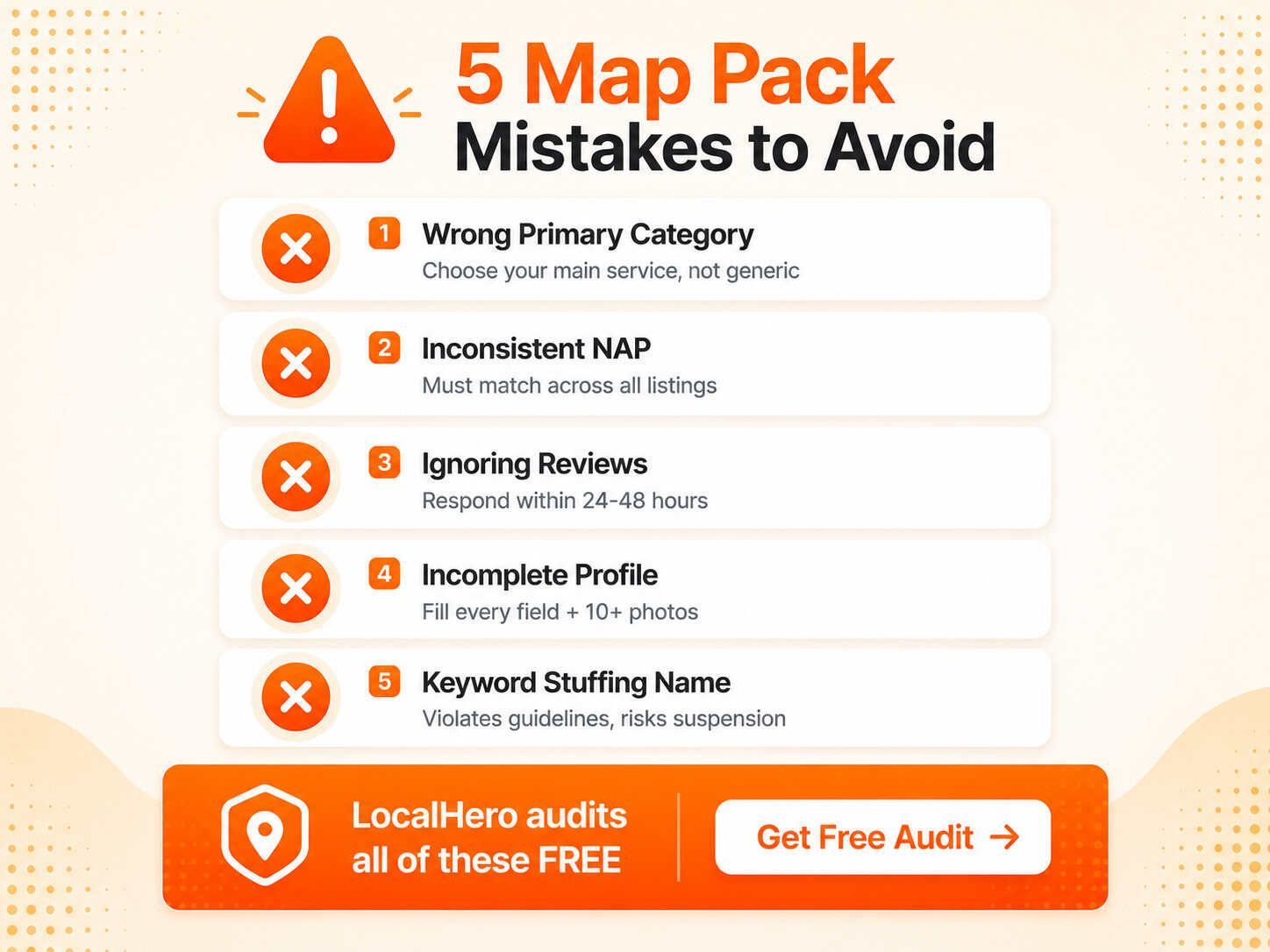
Many businesses make simple mistakes that hurt their rankings. Avoid these common errors:
-
Using the wrong primary category. Choose the category that best matches your main service.
-
Inconsistent business information. Your name, address, and phone number must match everywhere.
-
Not responding to reviews. Google rewards engagement. Reply to every review.
-
Leaving your profile incomplete. Fill in every field to give Google more signals.
-
Stuffing keywords into your business name. This violates Google’s guidelines and can get you suspended.
Fix these mistakes and follow the steps in this guide to improve your Map Pack rankings.
Get a Free Local SEO Audit
Want to know why your business is not ranking in the Map Pack? LocalHero offers a free local SEO audit that shows you exactly what is holding you back.
We review your Google Business Profile, citations, website, reviews, and local rankings. You get a detailed report with actionable steps to improve your Map Pack position.
LocalHero specializes in local SEO for service businesses. We help plumbers, electricians, HVAC companies, and contractors rank higher on Google Maps and get more local customers.
Get your free audit today and start ranking in the Map Pack.
Related reading
- Local SEO Benchmarks 2026. Measured review counts that top-three businesses actually carry, by trade.
- Google Business Profile Checklist. The profile groundwork the Map Pack depends on.
- Local SEO Backlinks: 7 Free Ways to Build Them. The authority side of Map Pack ranking.
- Free Local SEO Audit. Find out what is holding you back right now.
Frequently Asked Questions
How long does it take to rank in the Google Map Pack?
Most businesses see initial improvements in 4-8 weeks. Reaching the top three positions typically takes 3-6 months with consistent optimization. New businesses may take 6-12 months. Your timeline depends on competition, your current online presence, and how consistently you optimize.
Can I rank in the Map Pack without a website?
Yes, you can rank without a website, but it is much harder. Your Google Business Profile can rank on its own, but a website gives Google more signals about your services and location. Businesses with optimized websites rank higher than those without.
How many reviews do I need to rank in the Map Pack?
There is no magic number, but more reviews help. Focus on getting consistent reviews over time rather than a large batch all at once. Aim for at least 3-5 new reviews per month. Quality and recency matter more than total count.
What is the most important ranking factor for the Map Pack?
Prominence is the most important factor you can control. This includes your reviews, citations, backlinks, and overall online presence. Google also looks at relevance and distance, but most businesses win or lose on prominence.
Why did my Map Pack ranking drop suddenly?
Rankings can drop for several reasons: a competitor improved their profile, you received negative reviews, your business information became inconsistent across listings, Google updated its algorithm, or your profile was flagged for a guideline violation. Audit your profile and citations to find and fix the issue.
Ashikur Rohoman
Founder | SEO link Builder and Website Optimizer
Md Ashikur Rohoman is the founder of LocalHero, a local SEO agency that helps service businesses rank higher on Google and get more calls. He's worked with plumbers, dentists, lawyers, and HVAC companies across the US to build real local visibility through backlinks, citations, and Google Business Profile optimization. Connect with him on LinkedIn
More local SEO playbooks
Ready to be the local hero in your city?
Get a free local SEO audit of your site, Google Business Profile, citations, and top three Map Pack competitors. You will see exactly where you can win in 30 seconds.
- No long term contracts
- No lock in
- Cancel anytime