Table of Contents
Google Business Profile Checklist for Local Businesses
Most local businesses already have a Google Business Profile. The problem is that very few fully optimize it.
That is one of the biggest reasons plumbers, HVAC companies, and dentists in Texas struggle to appear in Google Maps results and local “near me” searches.
A weak profile can hurt:
-
visibility
-
clicks
-
calls
-
booked jobs
At LocalHero, we often see businesses with great services lose leads because their profile is incomplete, inactive, or disconnected from a strong local SEO system.
This guide gives you a practical Google Business Profile checklist for local business owners who want better Google Maps rankings, stronger local visibility, and more calls. This checklist helps local businesses improve Map Pack visibility and generate more calls from Google Maps.
This Google Business Profile checklist for local business owners focuses on visibility, Google Maps rankings, and local lead generation for Texas service businesses.
What Should Be Included in a Google Business Profile?
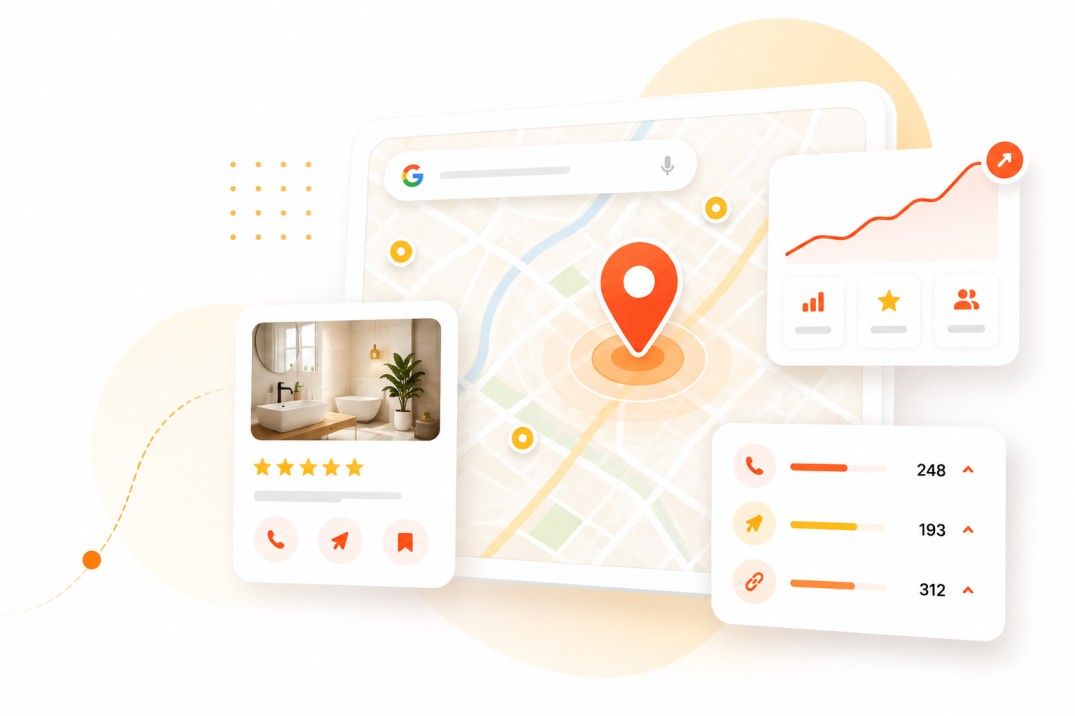
A complete Google Business Profile optimization checklist helps plumbers, HVAC companies, and dentists appear more often in Google Maps searches.
A strong Google Business Profile should include the correct business categories, services, service areas, reviews, photos, business description, website link, hours, and regular updates. These signals help Google understand what your business does, where you operate, and how relevant you are for local searches in Google Maps.
A complete Google Business Profile optimization checklist improves:
-
Google Maps visibility
-
local trust
-
click-through rates
-
local lead generation
Important profile sections include:
-
Primary category
-
Secondary categories
-
Service list
-
Service areas
-
Business description
-
Reviews
-
Photos
-
Q&A section
-
Website link
-
Business hours
-
Posts and updates
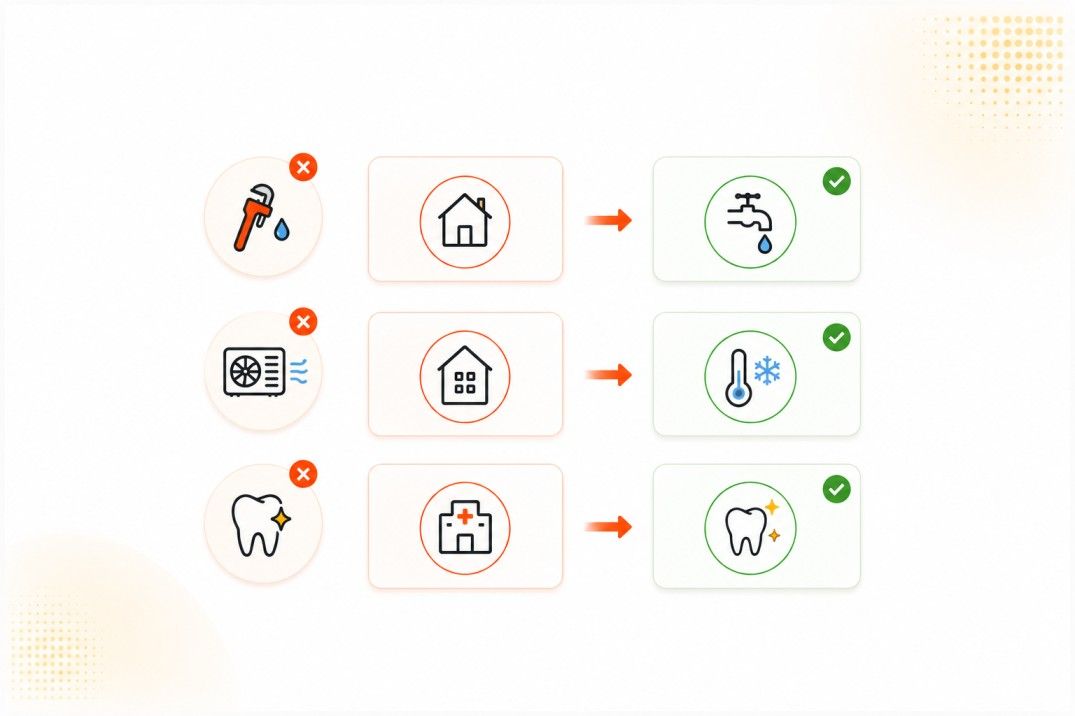
Wrong category examples
|
Business Type |
Weak Category |
Better Category |
|
Plumber |
Contractor |
Plumber |
|
HVAC Company |
Home Services |
HVAC Contractor |
|
Dentist |
Medical Clinic |
Dentist |
Many local businesses struggle with visibility because they never follow a proper Google Business Profile optimization checklist.
Wrong categories reduce visibility because Google cannot clearly connect the business to local searches.
A Dallas plumbing company improved calls after:
-
updating categories
-
adding service pages
-
uploading recent project photos
-
improving review signals
That made the profile easier for Google and AI systems to trust.
Learn more about Google Business Profile optimization.
Why Some Texas Businesses Don’t Show on Google Maps
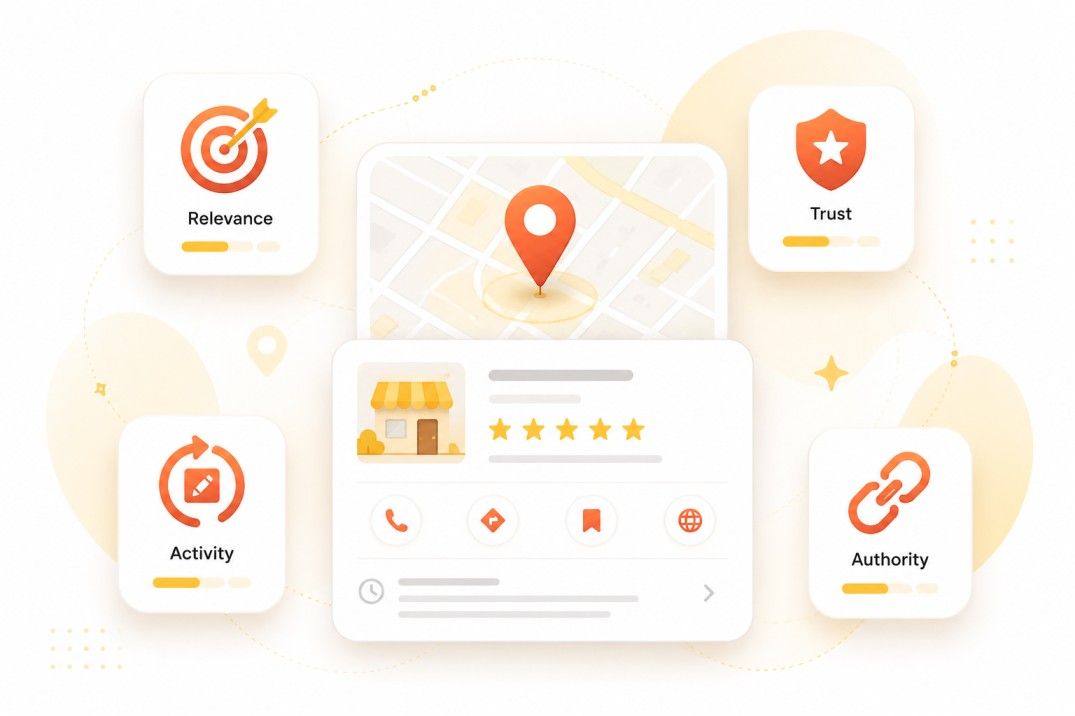
Most businesses do not disappear from Google Maps by accident. Businesses usually rank lower because Google sees weak local relevance, low trust signals, inconsistent business information, or poor activity levels.
Stronger local SEO signals help businesses appear more often in the Map Pack and generate more calls.
Most Texas service companies never fully optimize their Google Business Profile for stronger local rankings.
Businesses that follow a structured Google Business Profile checklist for local business growth often build stronger local trust signals.
Google Maps rankings depend heavily on:
-
relevance
-
trust
-
activity
-
local authority
Common visibility problems include:
-
incomplete Google Business Profiles
-
weak business categories
-
missing services
-
few reviews
-
inactive posting
-
inconsistent NAP information
-
weak website SEO
-
poor local backlinks
-
weak local citations
This is common in:
-
plumber SEO Texas campaigns
-
HVAC Google Maps ranking projects
-
dentist Google Maps visibility campaigns
Example
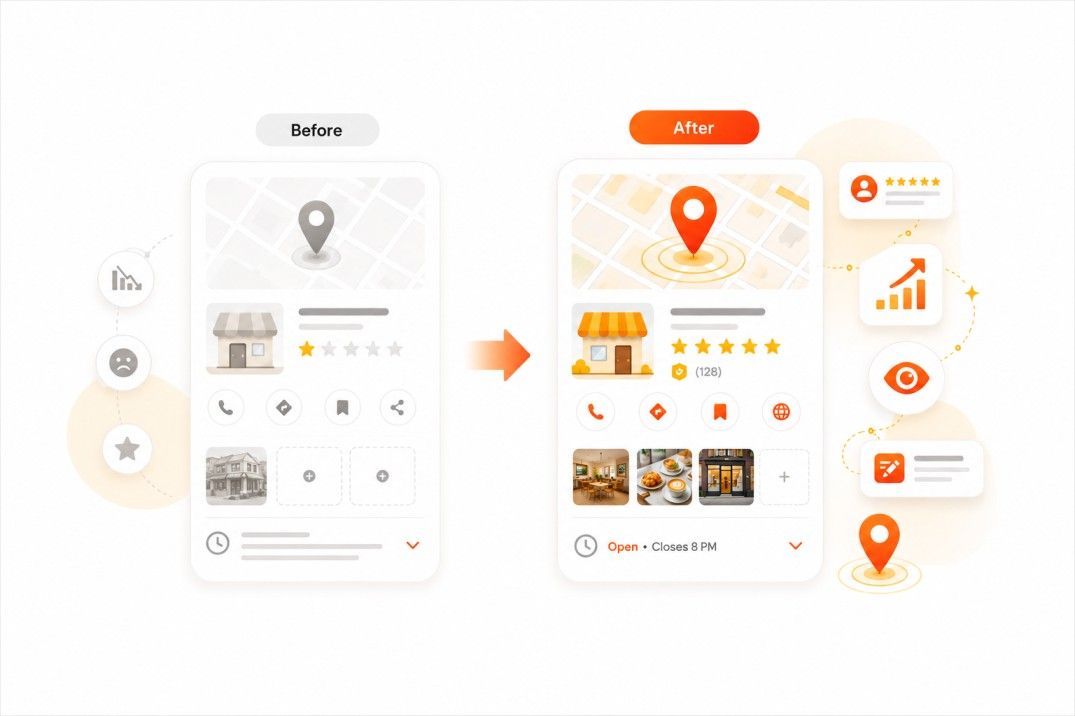
A Houston HVAC company had:
-
good technicians
-
years of experience
-
strong customer service
But competitors ranked higher because they:
-
replied to reviews
-
posted updates regularly
-
added fresh photos
-
built stronger local citations
-
improved website service pages
This is one reason LocalHero focuses heavily on how to optimize Google Business Profile listings for local leads.
Businesses with stronger local authority signals usually get:
-
more visibility
-
more clicks
-
more calls
-
more booked jobs
If you are wondering why your business is not showing on Google Maps, weak local authority is often part of the problem.
If this sounds familiar, read our guide on why your business is not showing on Google Maps.
Google Business Profile Checklist for Local Businesses
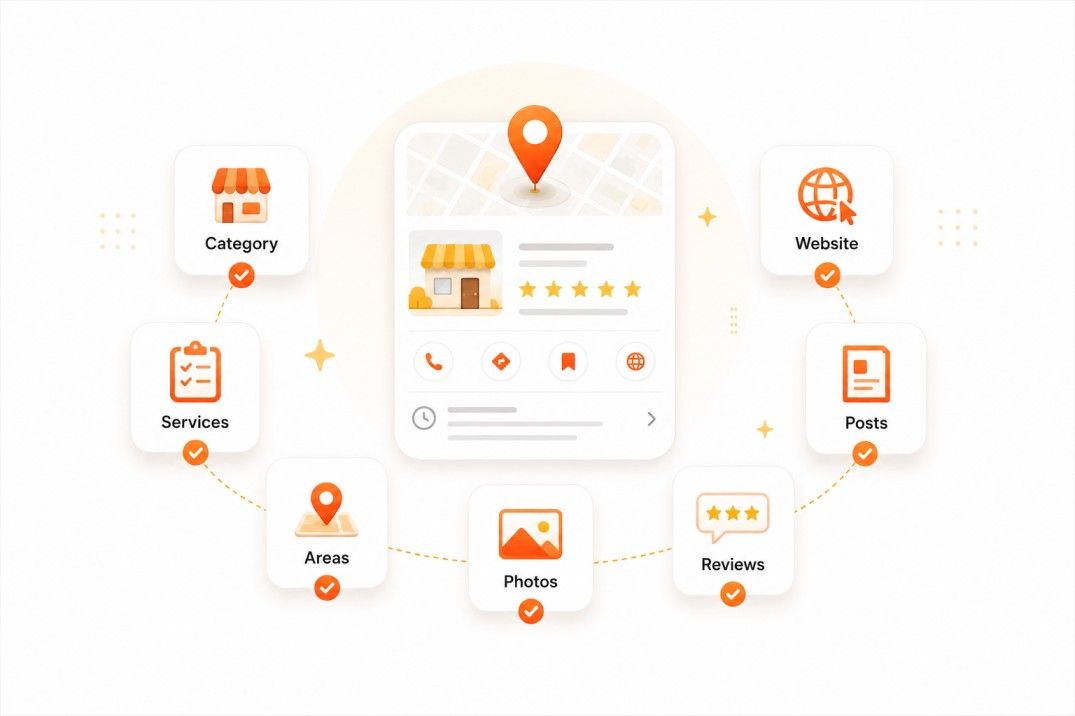
This Google Business Profile checklist for local business owners helps improve Google Maps visibility, local trust, and lead generation.
Here is a practical guide on how to optimize Google Business Profile listings for more local calls, visibility, and leads.
1. Choose the correct category
Your category tells Google what searches you should rank for.
Examples:
-
Plumber
-
HVAC Contractor
-
Dentist
This directly affects visibility.
2. Add every service
Do not leave the service section empty.
A detailed service section is one of the most important parts of a Google Business Profile optimization checklist.
Examples:
-
Drain cleaning
-
AC repair
-
Emergency dental care
Specific services improve local relevance.
3. Add service areas
Mention cities and areas you serve across Texas.
This helps Google connect your business to local searches.
4. Write a strong business description
Explain:
-
what you do
-
who you help
-
where you operate
Keep it simple and natural.
5. Upload real photos
Good photos improve trust.
Add:
-
team photos
-
work photos
-
office photos
-
service photos
6. Ask for reviews regularly
Reviews improve:
-
trust
-
rankings
-
click-through rates
7. Reply to reviews
Review replies show activity and customer care.
This matters for both customers and Google.
8. Keep hours updated
Wrong hours reduce trust quickly.
9. Add contact options
Use:
-
phone numbers
-
booking links
-
website links
10. Post updates regularly
Inactive profiles look abandoned.
11. Add FAQs
FAQ content helps both local SEO and AI visibility.
Platforms like ChatGPT, Perplexity AI, and Google AI Overviews often pull information from clear, structured business content.
FAQ sections also support AI visibility and help Google understand how to optimize Google Business Profile listings more clearly.
12. Connect your website properly
A strong website supports Google Maps rankings.
If you need help improving visibility, request a free local SEO audit.
Common Google Business Profile Optimization Checklist Mistakes
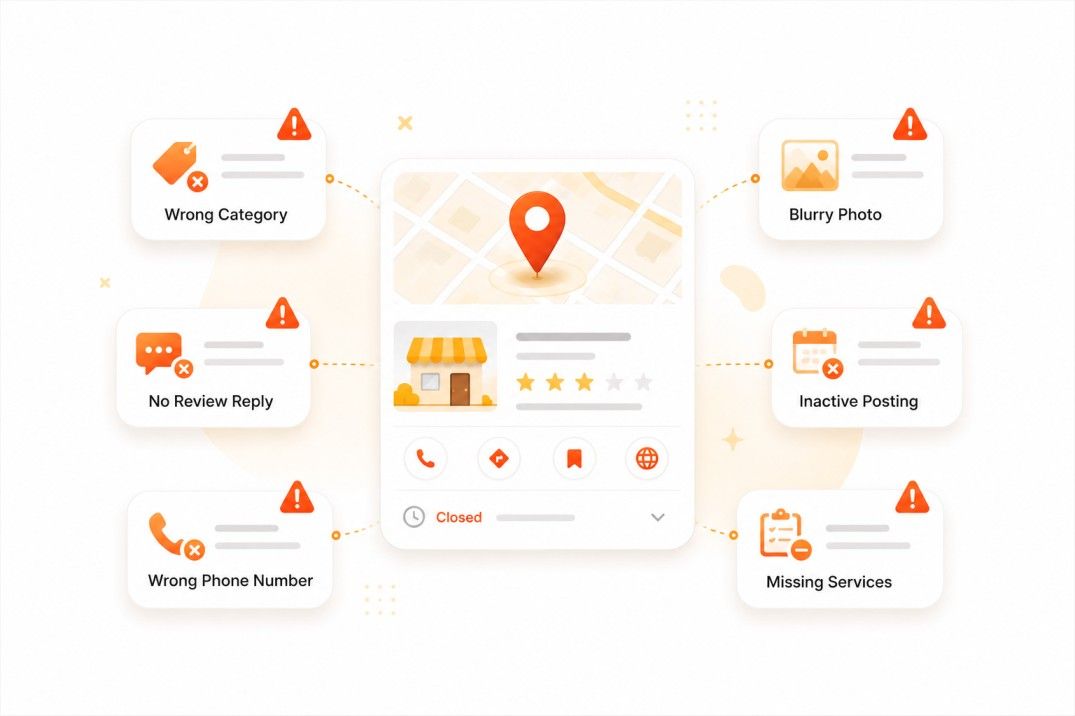
Many businesses skip basic Google Business Profile tips for local businesses like review replies, service updates, and accurate categories.
Common Google Business Profile mistakes include:
-
wrong categories
-
missing services
-
blurry photos
-
no review replies
-
weak descriptions
-
inactive posting
-
wrong phone numbers
-
inconsistent business details
-
empty Q&A sections
These problems reduce:
-
trust
-
clicks
-
calls
-
visibility
One Texas dental clinic had strong reviews but almost no photos and outdated service information. After improving profile activity and adding updated services, visibility improved noticeably.
Another common problem is weak review management.
Businesses that ignore reviews often lose trust compared to competitors that actively engage with customers.
Learn more about review management for local businesses.
Local Hero’s practical tip:
A lot of businesses think just creating a profile is enough. The businesses getting the most calls usually keep the profile active and connected to a strong local website.
Need help with this checklist? Request a free local SEO audit.
How Your Website Affects Google Maps Rankings
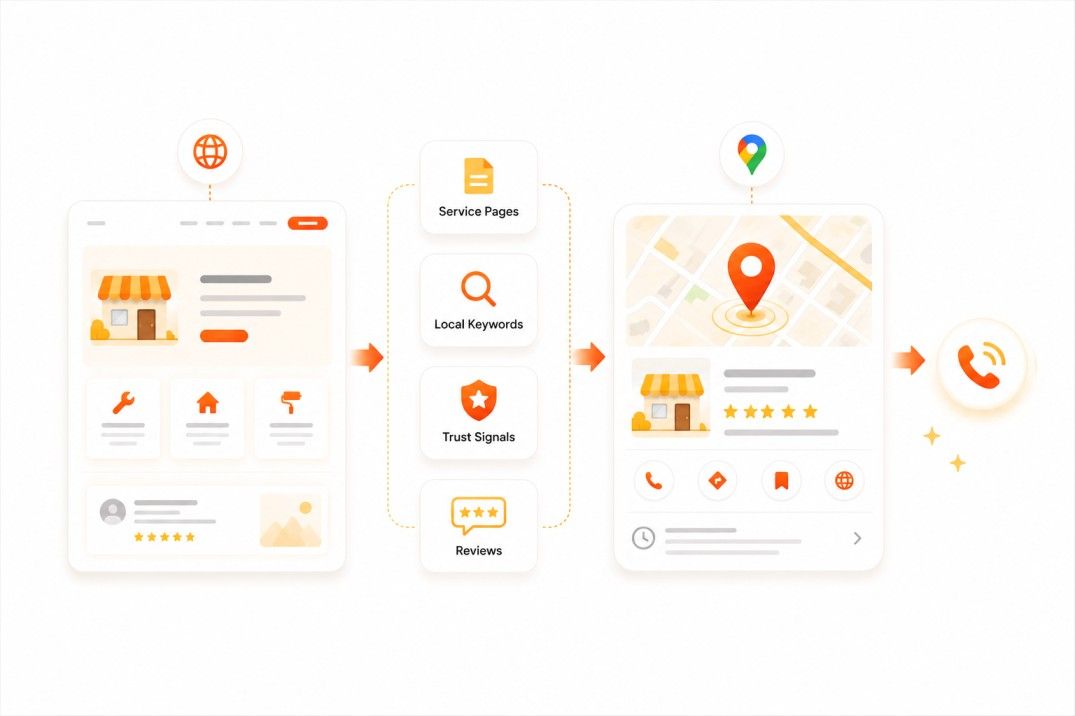
Yes, your website affects Google Maps rankings because it helps Google confirm your services, service areas, authority, and local relevance. A weak website can limit visibility even if your Google Business Profile is optimized.
A strong website supports every Google Business Profile checklist for local business growth strategy.
Strong local websites usually include:
-
service pages
-
city pages
-
local keywords
-
click-to-call buttons
-
internal links
-
fast mobile speed
-
LocalBusiness schema
-
matching NAP information
-
trust signals
-
review content
Weak vs Strong Service Page Examples
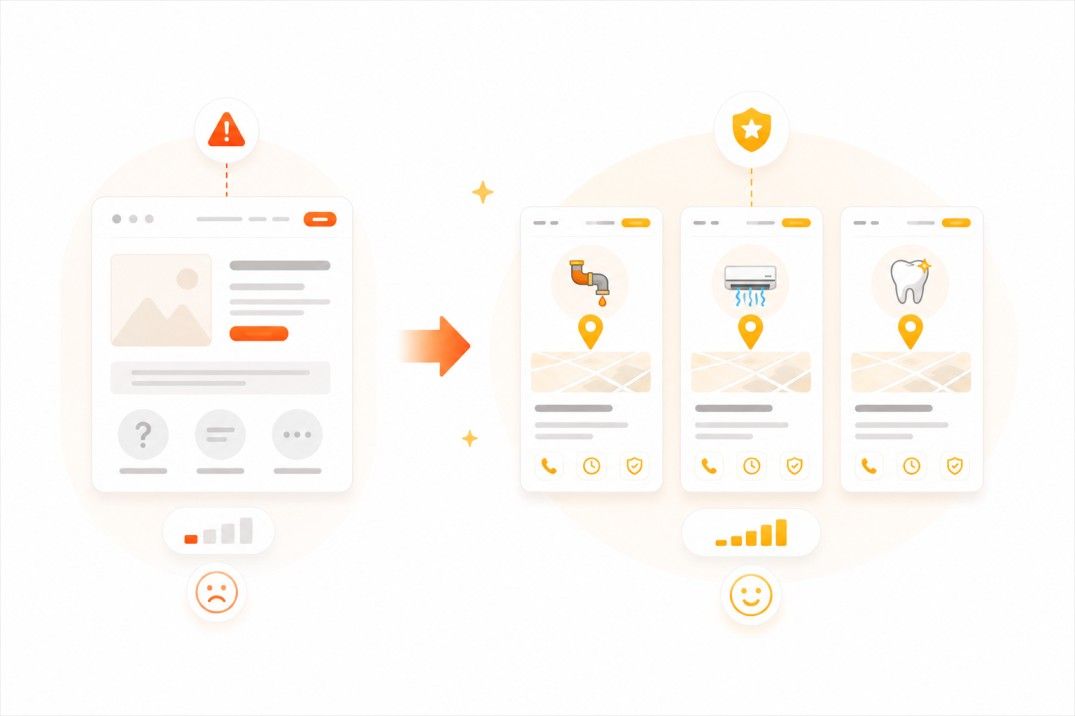
Weak page title
-
Services
Stronger local pages
-
Emergency Plumbing in Dallas
-
AC Repair in Houston
-
Family Dentist in Austin
Specific service pages help Google understand:
-
what you offer
-
where you work
-
which searches matter
They also improve:
-
AI search visibility
-
featured snippet eligibility
-
local lead generation
Strong website SEO helps:
-
ChatGPT
-
Perplexity AI
-
Google AI Overviews
recognize and mention local businesses more accurately.
Weak service pages and poor local SEO signals can reduce Google Maps visibility.
These Google Business Profile tips for local businesses also support stronger website SEO and local trust signals.
Local businesses should also improve:
-
mobile experience
-
page speed
-
internal linking
-
trust signals
Learn more about website optimization for local SEO and local SEO services for Texas businesses.
Citations, Backlinks, and Local Authority Signals
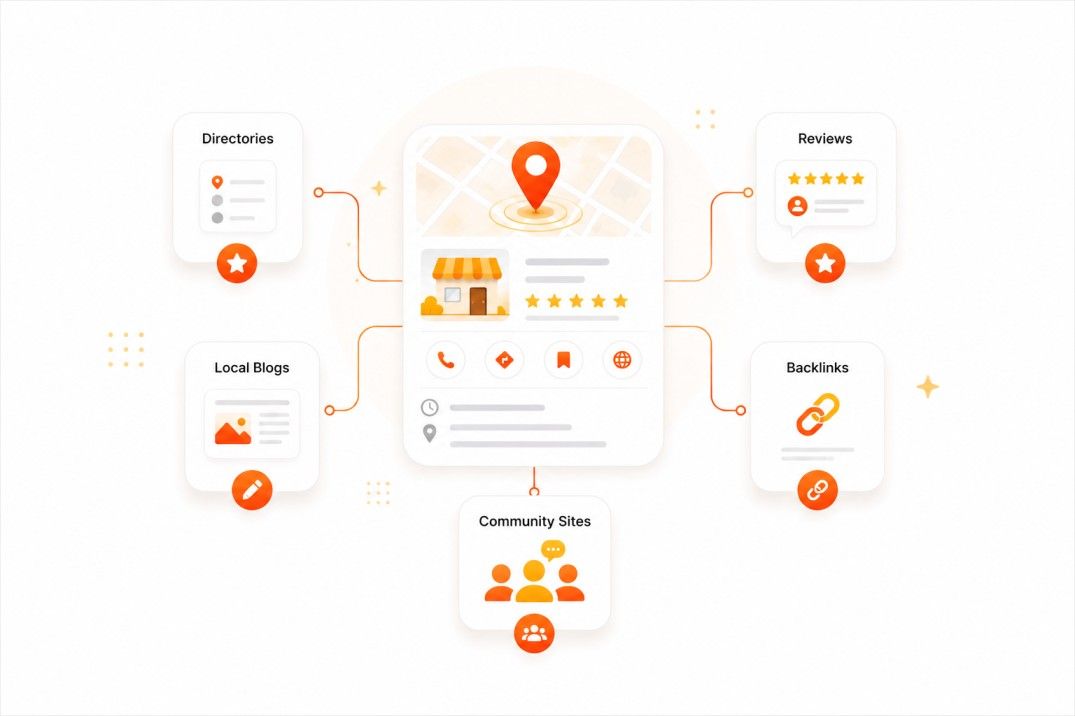
Google checks other websites to confirm that your business information is consistent and trustworthy.
Citation consistency remains one of the most overlooked Google Business Profile tips for local businesses.
This includes:
-
local citations
-
business directories
-
local backlinks
-
review platforms
NAP consistency matters.
Your:
-
business name
-
address
-
phone number
should match across the web.
Inconsistent information can confuse Google and reduce trust.
Strong local authority signals may include mentions from:
-
chambers of commerce
-
suppliers
-
local blogs
-
community organizations
Local backlinks also support Google Maps ranking campaigns in Texas.
Learn more about:
Avoid spam backlinks from:
-
random directories
-
unrelated websites
-
foreign sites
-
AI spam pages
Spammy links can damage trust and rankings.
One Texas HVAC company had hundreds of low-quality backlinks but very little local authority. Cleaning spam signals and improving local citations helped strengthen local trust.
AI Visibility and Google Business Profile Tips for Local Businesses
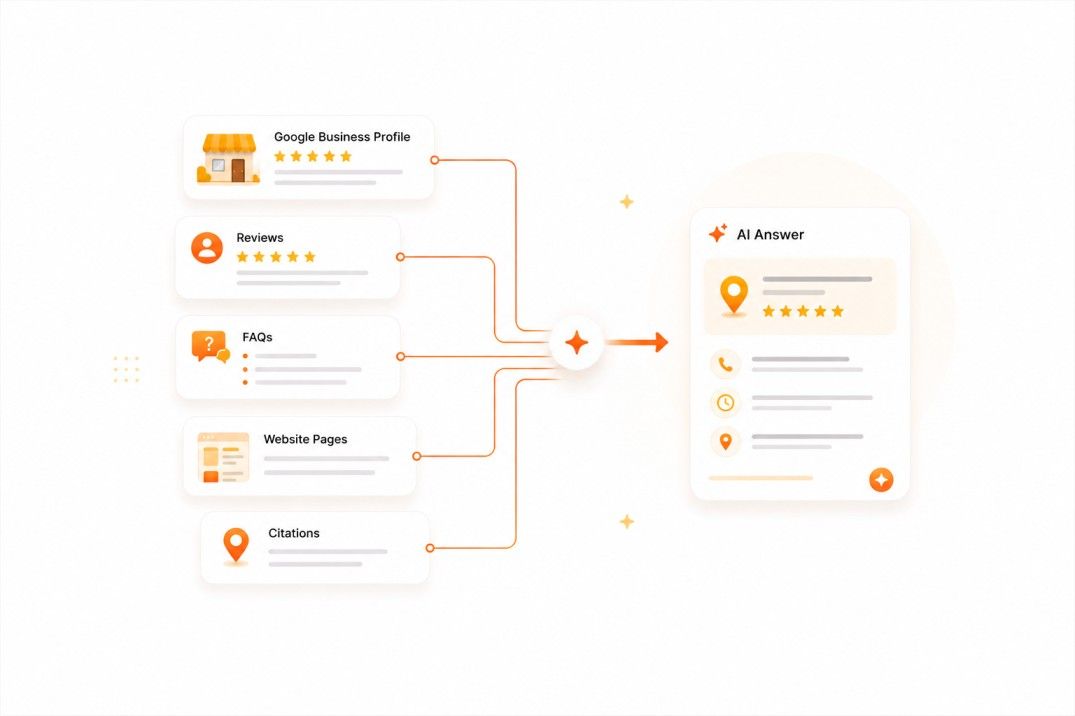
AI search is becoming part of local SEO.
Platforms like:
-
ChatGPT
-
Perplexity AI
-
Google AI Overviews
look for trusted business information online.
AI systems often trust businesses with structured content, strong local SEO, and a complete Google Business Profile optimization checklist.
Businesses with:
-
strong Google Business Profiles
-
clear service pages
-
consistent citations
-
reviews
-
structured FAQ content
-
local authority backlinks
are easier for AI systems to understand and mention.
This is why AI search visibility now connects directly to:
-
local SEO
-
authority
-
structured content
-
trust signals
-
Google Maps visibility
A complete local SEO strategy is no longer just about rankings. It is also about being understood by AI systems.
Final Google Business Profile Checklist for More Leads
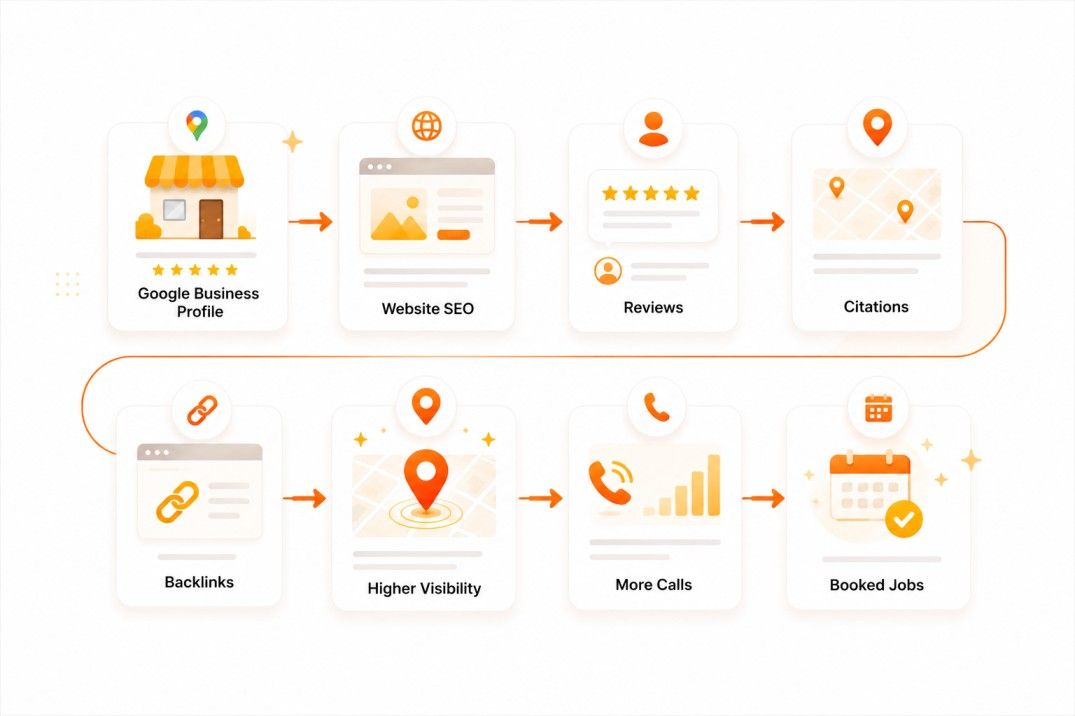
Use this final Google Business Profile checklist for local business growth to improve local visibility and Google Maps lead generation.
Following a structured Google Business Profile checklist for local business visibility helps Texas plumbers, HVAC companies, and dentists generate more local calls.
Final Checklist
-
Choose the correct categories
-
Add complete services
-
Upload real photos
-
Build strong reviews
-
Reply to reviews
-
Post updates regularly
-
Improve your website
-
Keep NAP information consistent
-
Build local backlinks
-
Improve mobile speed
-
Add strong service pages
-
Use local keywords naturally
-
Create FAQ content
-
Improve AI-friendly structure
A complete Google Business Profile checklist for local business growth should also include website SEO, citation consistency, review signals, and local authority signals.
The businesses that usually win local visibility are the ones that build a complete local authority system:
That combination leads to: Visibility → Clicks → Calls → Booked Jobs
Want More Calls From Google Maps?
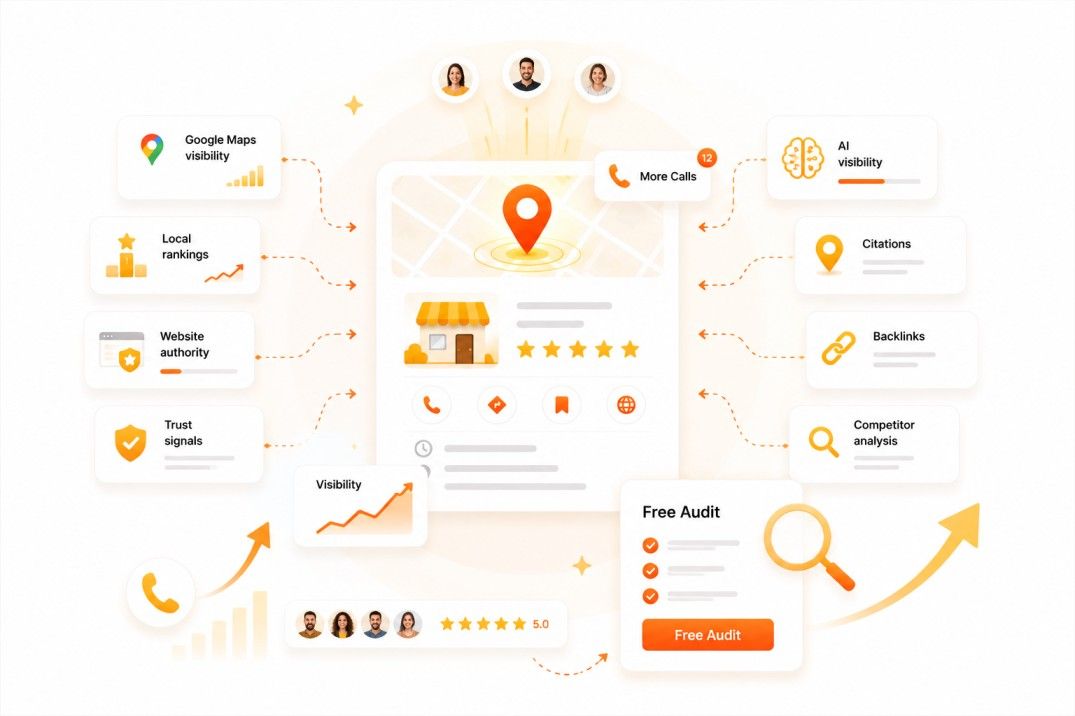
Businesses that want more calls from Google Maps should regularly review their Google Business Profile checklist for local business visibility.
LocalHero helps plumbers, HVAC companies, and dentists improve:
-
Google Maps visibility
-
local rankings
-
website authority
-
local trust signals
-
AI visibility
Our team reviews:
-
your Google Business Profile
-
local SEO signals
-
citations
-
backlinks
-
website SEO
-
competitor gaps
Then we show you practical ways to improve visibility and generate more calls.
Get your free local SEO audit today.
What Changed With Google Business Profile in 2026
A checklist from a year ago is not wrong, but a few real shifts in how Google evaluates profiles are worth adding to your routine. Here is what actually changed, and what to do about each one.
Engagement now matters more than it used to
Google has been placing more weight on how people interact with your profile, clicks to call, clicks for directions, how long people look at your photos, and how quickly you respond to reviews and questions. A newer business that posts regularly and answers every review fast can now compete with an older, more established competitor that lets its profile sit untouched for months. The practical takeaway: treat your profile like a page you update weekly, not a form you fill out once and forget.
Review response speed is a bigger signal
Responding to reviews has always mattered for reputation. What has changed is that response speed itself appears to factor into how active and trustworthy Google considers your profile. Aim to respond within 24 hours to every new review, positive or negative, not just for the customer reading it, but as a freshness signal Google can see.
Video verification is rolling out for more business types
Google has expanded video-based verification beyond just new listings. If you get a verification request that asks for a short video walkthrough of your location, this is a normal part of the current process, not a red flag on your account. Service-area businesses without a public-facing location may be asked for supporting documents instead of a video, since there is no storefront to film.
AI-assisted Q&A and review replies are appearing in some accounts
Some businesses are now seeing Google auto-suggest answers to common questions on their profile, and draft suggested replies to reviews, based on your existing business information and past responses. These are drafts, not automatic publications, you still choose whether to approve, edit, or ignore them. Review every suggestion before it goes live. An AI-drafted answer that gets a detail wrong (like your hours or a service you no longer offer) is worse than no answer at all.
What this means for your checklist
None of this replaces the fundamentals already covered above, accurate categories, complete NAP data, and real photos are still the foundation. These changes add three new habits on top of that foundation:
- Respond to every review and every Q&A submission within 24 hours, not just occasionally.
- Post something, a photo, an offer, a completed job, at least once a week, even in slow seasons.
- If Google offers to auto-generate a Q&A answer or review reply, review it for accuracy before publishing. Never let it go live unread.
Attributes: The Checklist Item Most Businesses Skip
Attributes are the small checkboxes under your profile, things like "wheelchair accessible entrance," "free Wi-Fi," "identifies as veteran-owned," or "online estimates." Most business owners fill out the big fields (hours, category, description) and never touch attributes at all. That is a missed opportunity, because attributes are one of the few places where you can directly match the exact filters customers use when they search.
Here is how to actually use them:
- Go through every available attribute for your category, not just the ones Google highlights by default. The full list is longer than what shows on first load.
- Only select attributes that are true. A false attribute (claiming 24/7 service when you close at 6pm) creates a bad first interaction and can trigger complaints that hurt your profile.
- Re-check attributes every few months. Google periodically adds new attributes for existing categories, and a profile set up a year ago is likely missing options that did not exist then.
Products and Services: Beyond the Basic List
Simply listing "plumbing repair" as a service is not enough anymore. For each service you list, add a short description and, where it makes sense, a price or price range. A generic one-line service list looks identical to every competitor's profile. A service list with real descriptions and transparent pricing signals gives Google more text to match against specific searches, and gives customers a reason to call you instead of the next listing.
A simple structure that works for most local service businesses:
- Service name (exactly how customers search for it, not internal jargon)
- One or two sentences describing what is included
- A starting price or price range, even if it is "Starting at $89" rather than an exact figure
Do this for your top 8-10 services first. You can always add more later, but a handful of well-written entries outperforms twenty generic one-word listings.
Mistakes That Undo an Otherwise Good Profile
Even a well-optimized profile can lose ground from a handful of avoidable mistakes:
- Letting seasonal hours go stale. Holiday hours left unchanged, or a "temporarily closed" flag from a past event that never got reversed, actively suppresses visibility.
- Ignoring negative reviews instead of responding. A single unanswered 1-star review sitting at the top of your profile does more damage than several older negative reviews with thoughtful replies underneath them.
- Uploading the same stock-style photos as every competitor. Generic van-and-logo photos or stock imagery from your website builder do not build trust the way real job photos and real team photos do.
- Changing your business name to include keywords. Adding "Best" or a city name that is not part of your legal or DBA name violates Google's guidelines and risks suspension, not a ranking boost.
A Quick Way to Tell If Your Profile Is Falling Behind
Search your own business name from a phone that has never logged into your Google account. Look at three things: how recent your latest photo is, whether your most recent review has a reply, and whether your profile shows any Q&A left unanswered. If any of those three are more than two weeks old, your profile is sending a "not active" signal regardless of how complete the rest of it looks.
Related reading
- Free Local SEO Audit. Check the profile and the site together.
- NAP Consistency Checker. Verify the name, address, and phone match everywhere.
- The 2026 Local SEO Checklist. Everything outside the profile itself.
- Local SEO Benchmarks 2026. How complete the average profile actually is, measured across 1,122 of them.
Frequently Asked Questions
Why is my business not showing on Google Maps?
Most businesses do not show on Google Maps because Google sees weak local SEO signals. Common causes include an incomplete profile, wrong category, weak reviews, poor citations, or weak website SEO.
Does my website affect Google Maps rankings?
Yes. Your website helps Google confirm your services, locations, and authority. Strong service pages, local keywords, fast mobile speed, and matching business info support better Maps visibility.
How often should I update my Google Business Profile?
Update your Google Business Profile regularly. Add photos, posts, review replies, service updates, and business changes to keep it active and trusted.
Do reviews help local SEO rankings?
Yes. Reviews help improve trust, clicks, and local relevance. Strong reviews and active replies can support better visibility in Google Maps and “near me” searches.
What is the best category for a Google Business Profile?
The best category is the one that matches your main service. For example, use “Plumber,” “HVAC Contractor,” or “Dentist” instead of a broad category.
Manal Ghamir
Co-Founder | Sales and Content Creator
Manal Ghamir is an SEO writer and co-founder of LocalHero. She helps brands and local service businesses create answer-first content that ranks on Google, appears in AI answers, and turns search visibility into leads. Connect with her on LinkedIn.
More local SEO playbooks
Ready to be the local hero in your city?
Get a free local SEO audit of your site, Google Business Profile, citations, and top three Map Pack competitors. You will see exactly where you can win in 30 seconds.
- No long term contracts
- No lock in
- Cancel anytime