Table of Contents
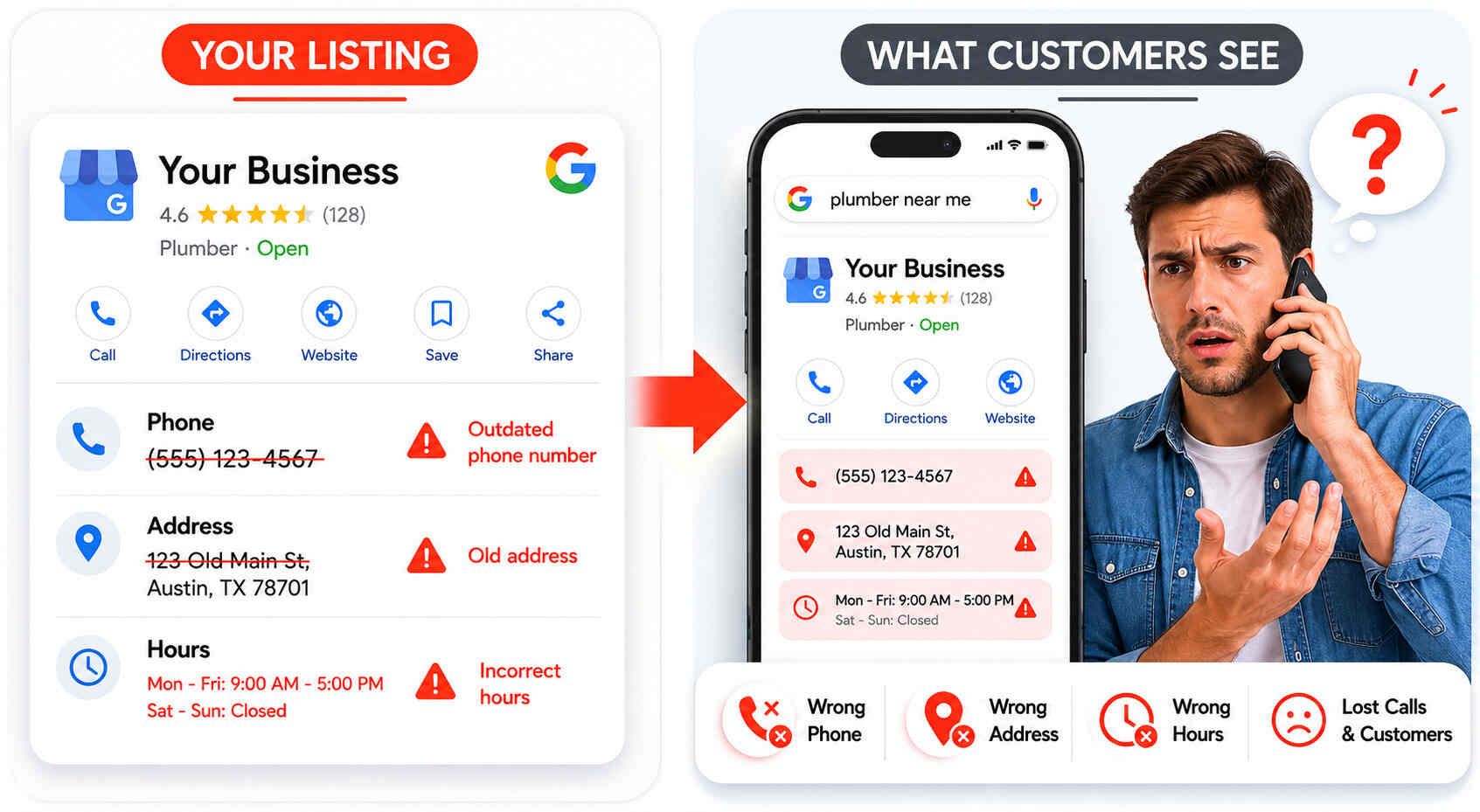
Wrong business information on Google costs local businesses real leads every single day. A dead phone number sends a caller to a voicemail that never gets checked. An old address sends a customer to a location you left years ago. Incorrect hours bring someone to your door on a day you are closed.
Here is the bigger problem. Over 60% of local businesses have at least one NAP inconsistency online, and most do not know it is there. Google sees every mismatch. When your name, address, or phone number does not match across your listings, Google loses trust in your business and your rankings drop.
This guide covers wrong business information on Google how to fix it, step by step. You will learn where to find every broken listing, how to correct it, and how to stop bad data from coming back.
What Is Wrong Business Information?
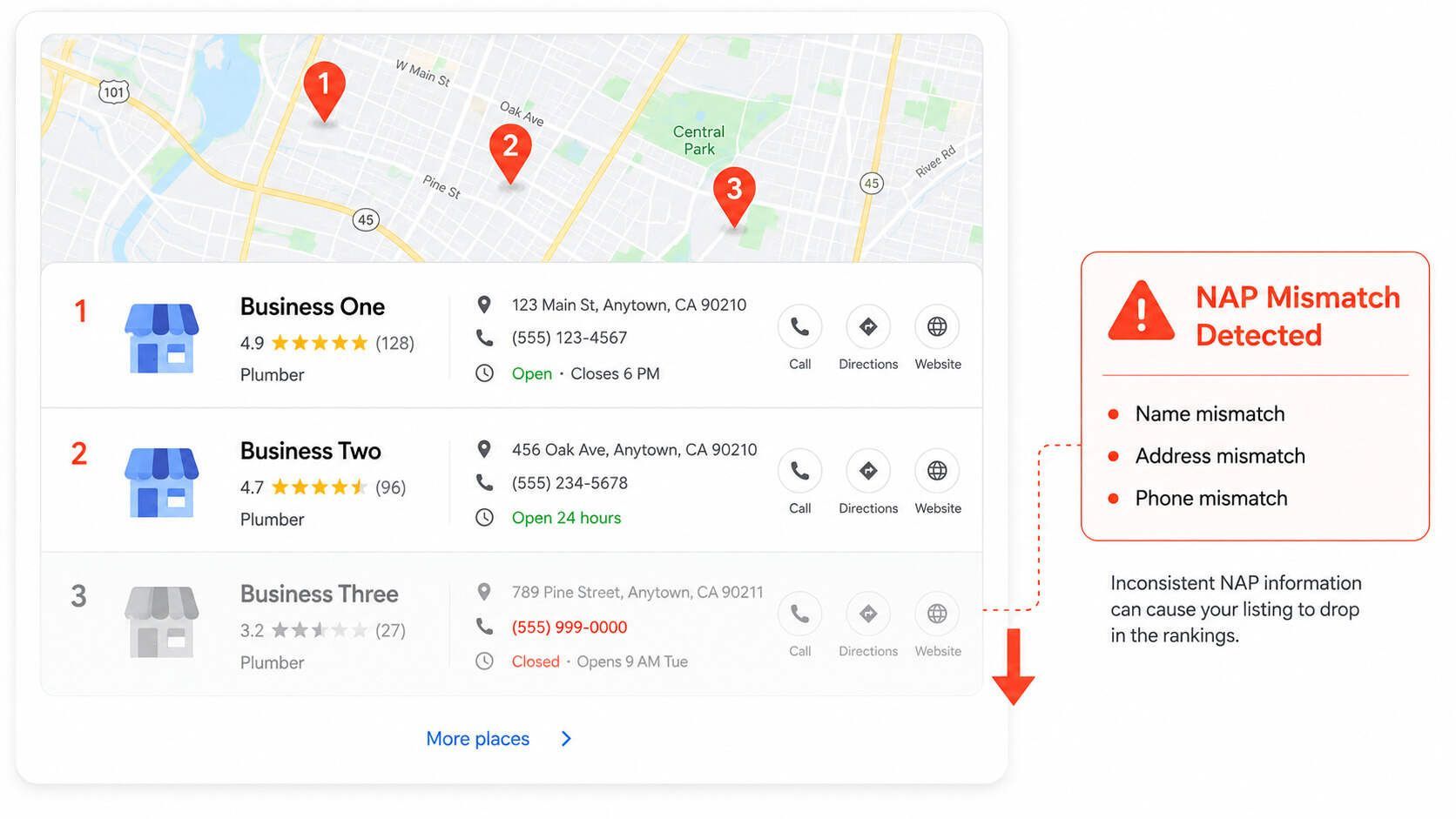
Wrong business information means any detail about your business that is incorrect, outdated, or inconsistent across the web. The three most critical details are your business name, address, and phone number. In local SEO, these are called NAP, Name, Address, Phone.
Google does not just trust what you put on your Google Business Profile. It cross-checks your NAP across Yelp, Facebook, Apple Maps, Yellow Pages, and dozens of other directories. Every match builds trust. Every mismatch weakens it.
Common examples of wrong business information include:
-
Name mismatch: "Smith HVAC" on Google but "Smith Heating and Cooling" on Yelp
-
Old phone number: A number you stopped using still live on 20 directories
-
Wrong address: Previous location still appearing after you moved
-
Format differences: "Suite 100" on one platform and "Ste. 100" on another
-
Outdated hours: Holiday schedules or old hours that never got updated
Each mismatch signals to Google that your business data is unreliable. Fixing wrong business information on Google and across your listings is one of the fastest ways to recover local rankings.
How Wrong Business Information Hurts Your Rankings
Google ranks local businesses using three factors: relevance, distance, and prominence. NAP consistency feeds directly into prominence. Consistent information tells Google your business is established and trustworthy. Inconsistent information tells Google the opposite.
The numbers are clear. Inconsistent NAP can drop your rankings by 2 to 3 positions. It can cost you up to 68% of potential customers. And 73% of consumers lose trust in a business when they find wrong information online.
|
NAP problem |
What Google sees |
Ranking impact |
|---|---|---|
|
Different phone numbers across listings |
Cannot confirm which number is real |
Trust drops |
|
Old address still live on directories |
Conflicting location signals |
Distance signals weaken |
|
Business name variations |
Cannot confirm business identity |
Prominence weakens |
|
Duplicate listings on same platform |
Ranking signals split between two profiles |
Rankings dilute |
|
Missing listings on key directories |
Fewer trust signals overall |
Prominence stays low |
One service business we reviewed had this exact problem. Their Google Business Profile was verified and complete. But their old phone number was still live on 18 directories. Fixing those citations moved them from position 7 to position 2 in the Map Pack within eight weeks.
If your business has moved, rebranded, or changed contact details in recent years, start with citation building and cleanup to find every listing that needs fixing.
Step 1: Create Your Master NAP Record
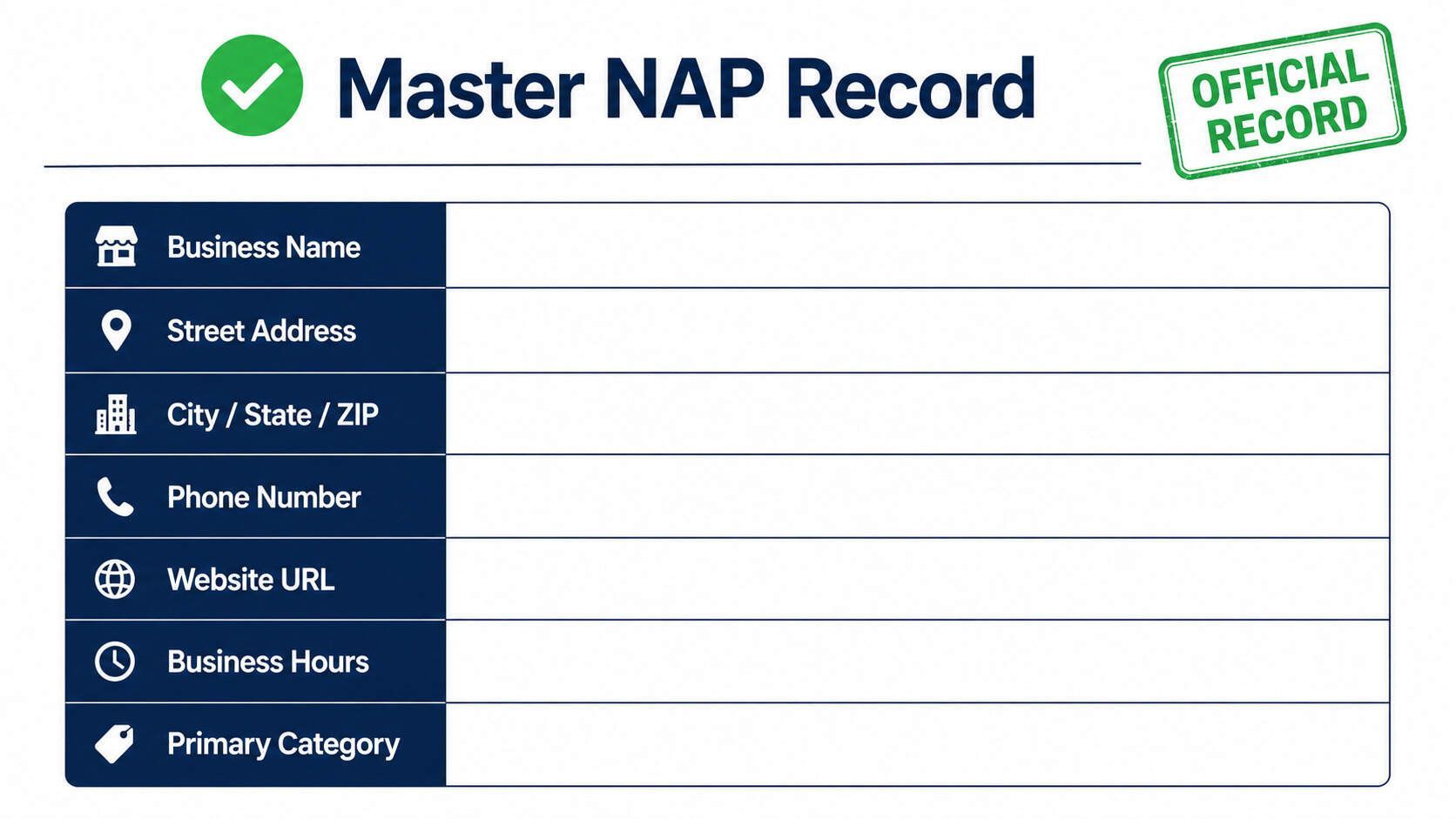
Do not touch a single listing until you have written your correct business information in one place. This is your master NAP record. Every fix you make must match it exactly.
Your master NAP record should include
-
Business name, Your exact legal name. No added keywords. No shortened versions.
-
Street address, Full address including suite number. Pick one abbreviation format, "Street" or "St.," and never switch.
-
City, state, ZIP, Full city name, two-letter state abbreviation, five-digit ZIP.
-
Phone number, One number, one format. Example: (555) 123-4567. Use it everywhere.
-
Website URL, Decide on www or no-www. Use the same version on every platform.
-
Business hours, Full schedule including holidays.
-
Primary category, The best-fit category for your main service on each platform.
Save this document before touching anything. Every correction comes directly from it.
Pro tip: Even tiny formatting differences hurt you. "Ave" and "Avenue" are different in Google's eyes. "Suite 200," "Ste. 200," and "#200" are three different addresses. Pick one and never change it.
Step 2: Fix Your Google Business Profile First
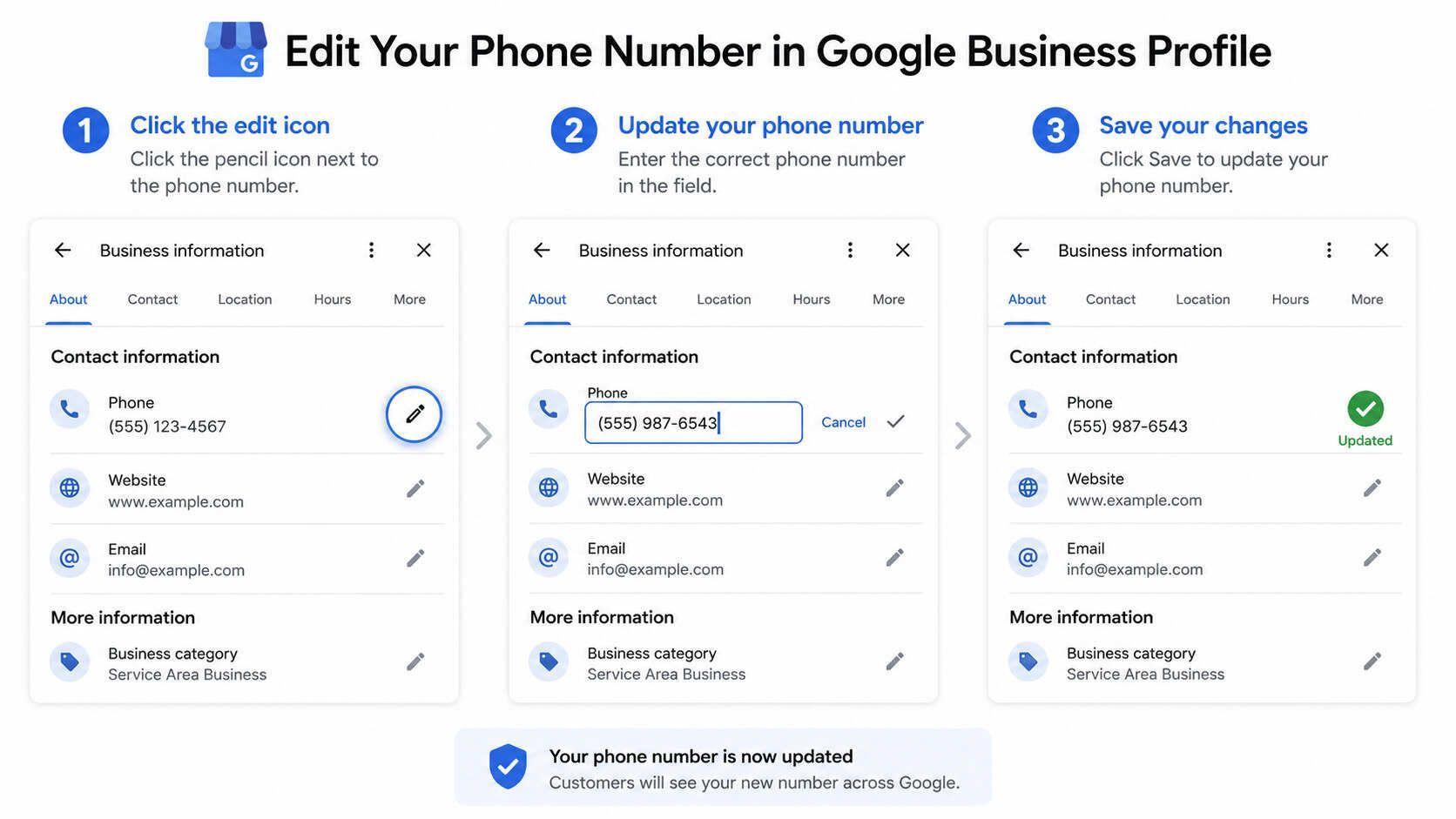
Your Google Business Profile carries more ranking weight than any other listing. Fix it first. Then correct every other listing to match it.
Here is how to fix wrong business information on your Google Business Profile:
-
Go to business.google.com and sign in.
-
Click the field showing incorrect information, name, address, phone, hours, or website.
-
Enter the correct detail from your master NAP record.
-
Click Save and allow Google time to review the change.
-
If Google requests re-verification after an address change, complete it immediately.
Watch for unauthorized edits. Anyone, a competitor, a customer, or an automated data feed, can suggest changes to your Google Business Profile. Google sometimes accepts these without telling you. Turn on email notifications so you are alerted any time a change is made or suggested. Check your profile at least once a week.
For ongoing Google Business Profile management, see LocalHero's Google Business Profile optimization services.
Step 3: Fix Your Website NAP
Google treats your website as one of the most authoritative sources of information about your business. If your site shows a different address or phone number than your Google Business Profile, that mismatch actively hurts your rankings.
Fix your NAP in three places on your website:
-
Footer, Add your full name, address, and phone to the footer. It appears on every page and sends a consistent NAP signal site-wide.
-
Contact page, Update your contact page to match your master NAP record exactly. If you have an embedded map, update the pin to the correct address.
-
LocalBusiness schema, Add structured data to your homepage so Google reads your NAP in machine-readable format with no ambiguity.
|
Website location |
Why it matters |
What to match |
|---|---|---|
|
Footer |
Appears on every page |
Name, address, phone |
|
Contact page |
High-trust signal for Google |
Address, map pin, phone, hours |
|
LocalBusiness schema |
Machine-readable NAP |
Name, address, phone, URL, hours |
|
Click-to-call button |
Confirms active phone number |
Must match GBP phone exactly |
For help adding schema and fixing local signals across your site, visit LocalHero's site optimization services.
Step 4: Fix High-Priority Directory Listings
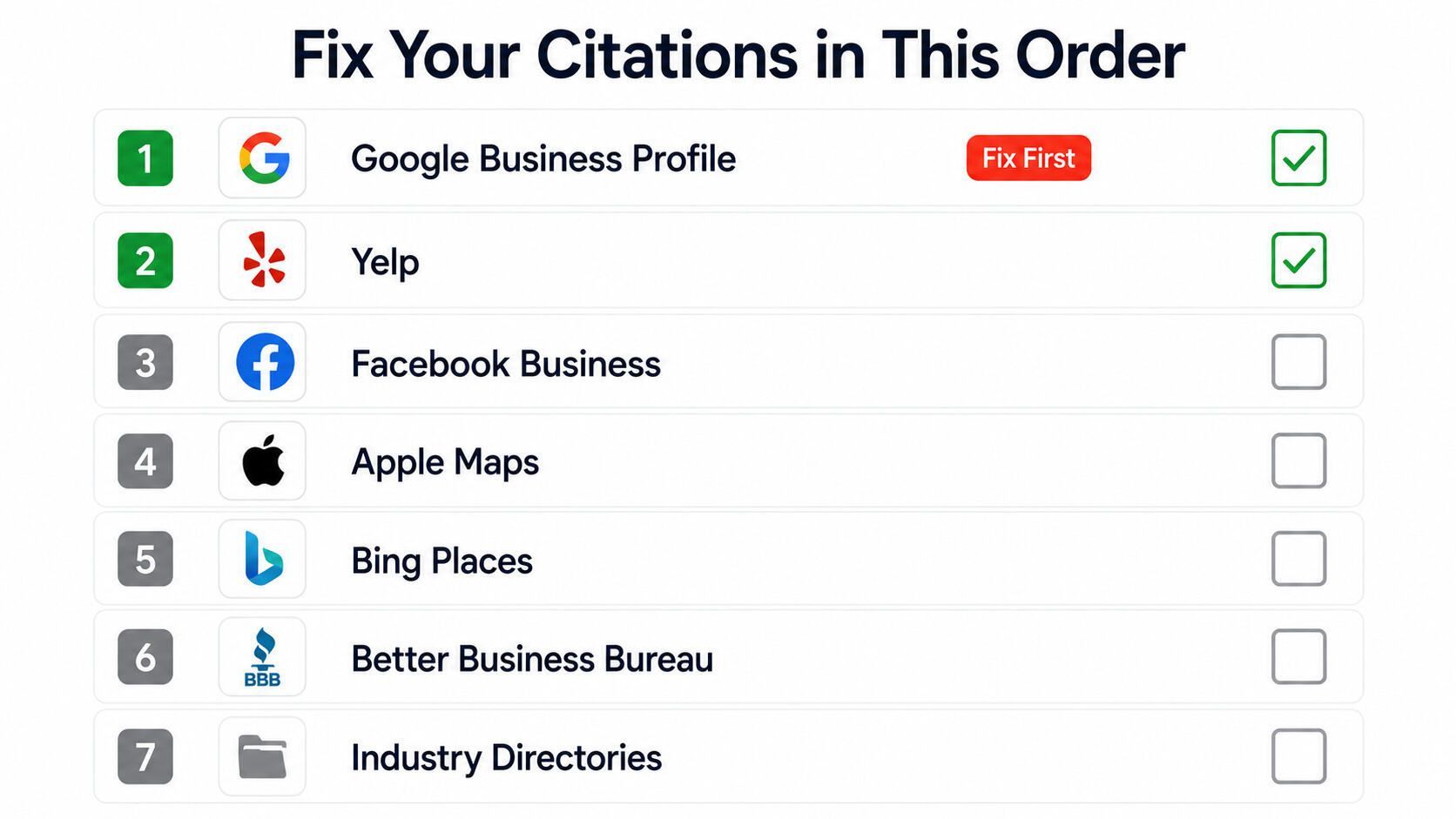
After your Google Business Profile and website are correct, fix the directories that carry the most ranking weight. These platforms get crawled most often by Google and send the strongest trust signals when they match.
Fix them in this order:
-
Yelp, Log in and update your NAP under Business Information.
-
Facebook Business Page, Go to About and update address, phone, and hours.
-
Apple Maps, Use Apple Business Connect to claim and correct your listing.
-
Bing Places, Sign in and sync your information to match your Google Business Profile.
-
Better Business Bureau, Log in or contact BBB support to update your details.
-
Yellow Pages, Update directly or contact their support team.
-
Industry directories, Fix listings on Angi, Houzz, Thumbtack, or any trade platform specific to your business.
For each platform: log in, update every field using your master NAP document, save, and confirm the change went through. If you cannot access a listing, look for a "Suggest an edit" or "Claim this business" link.
For a complete citation cleanup across all directories, LocalHero's citation building service handles every platform so nothing gets missed.
Step 5: Find and Remove Duplicate Listings
Duplicate listings split your ranking signals. If Google finds two listings for your business on the same platform, both end up weaker than one accurate listing would be.
Find duplicates by searching for your business name on each major platform, then searching for your old phone number and old address. Any extra listing that appears needs to go.
To remove a duplicate:
-
Log in and mark the duplicate as "Permanently closed" or submit a removal request.
-
If you cannot log in, contact the platform's support team directly.
-
Never delete your primary listing. Only remove the duplicate.
-
After removal, confirm your primary listing still shows correctly.
Warning: After fixing your citations, stop and wait. It takes 4 to 10 weeks for Google to process updates and reflect them in local rankings. Making more changes mid-process resets the timeline. Fix everything at once from your master NAP record, then leave it alone and monitor.
Checklist: Wrong Business Information on Google and How to Fix
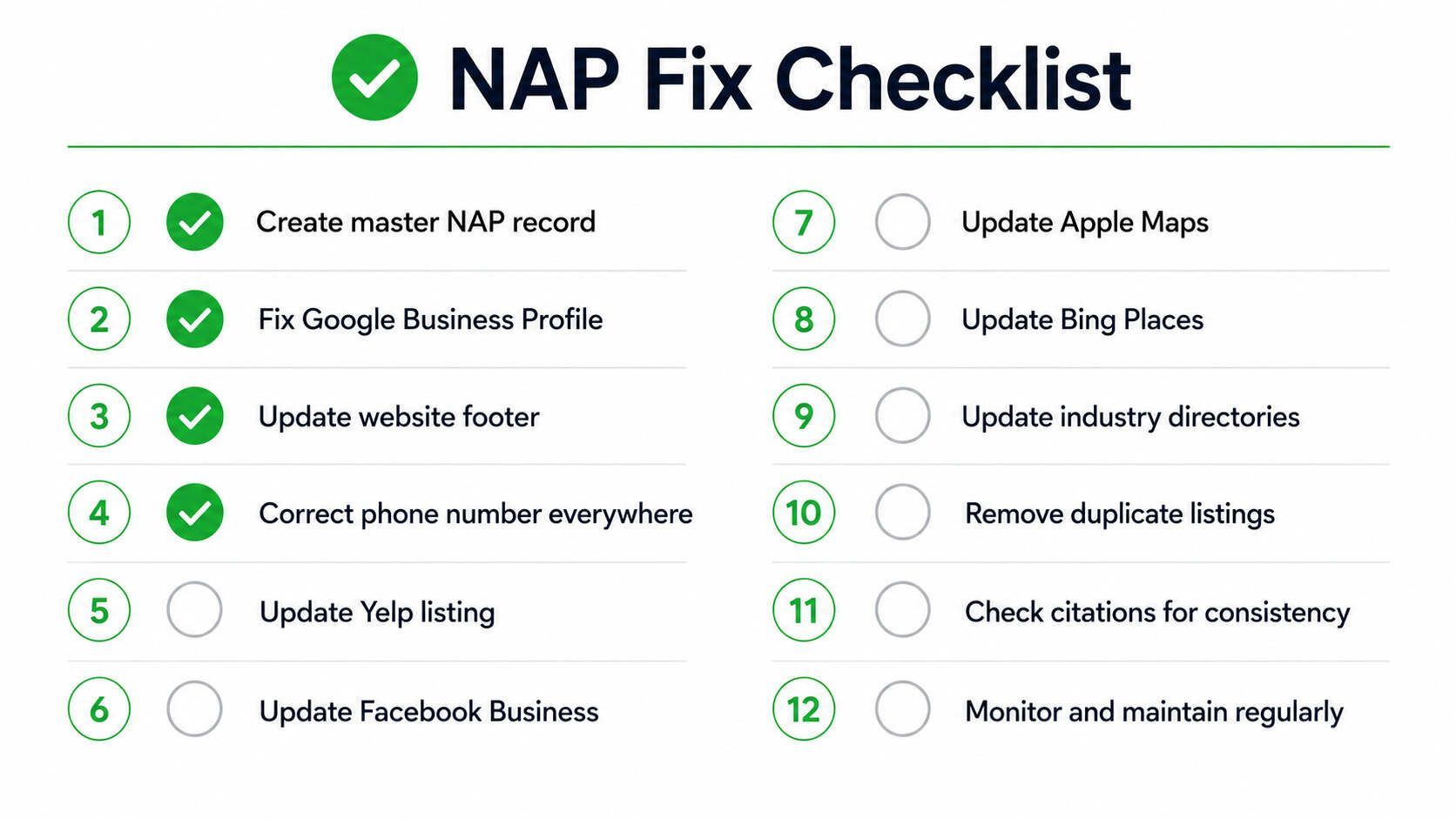
Use this checklist to confirm every step is complete. It covers wrong business information on Google how to fix it across every platform that matters.
-
Create your master NAP record, exact business name, address, phone, website URL.
-
Search Google for your business name in quotes: "Your Business Name."
-
Search for your old phone number and old address to surface outdated listings.
-
Fix your Google Business Profile, name, address, phone, hours, website.
-
Turn on Google Business Profile email notifications to catch unauthorized edits.
-
Fix your website footer, contact page, and LocalBusiness schema to match your GBP.
-
Fix Yelp, Facebook, Apple Maps, Bing Places, and BBB listings.
-
Fix any industry-specific directories where your business appears.
-
Find and remove all duplicate listings on every platform.
-
Confirm your website NAP matches your Google Business Profile field for field.
-
Wait 4 to 10 weeks, then check your Map Pack rankings for your main service keywords.
-
Set a monthly reminder to spot-check your top five directory listings.
Search for your business the same way a new customer would, including your old address, old phone number, and name variations. This is the fastest way to find every listing that still holds wrong business information.
Get a Free Citation Audit
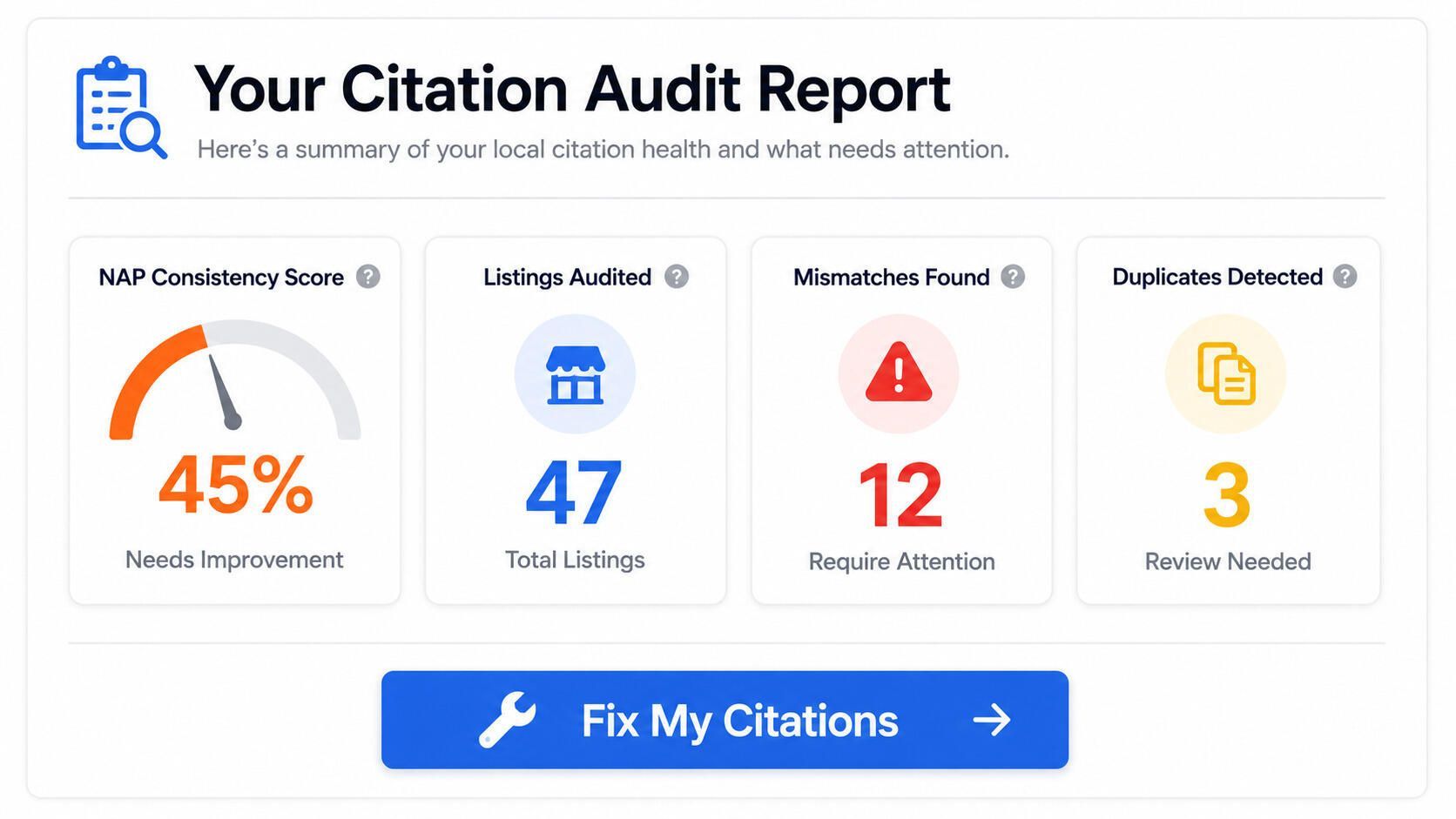
If wrong business information is still showing up across the web after working through this guide, a full local SEO audit from LocalHero will show you exactly where your NAP is broken and what it is costing your rankings.
LocalHero audits:
-
Google Business Profile accuracy and completeness
-
Website footer, contact page, and LocalBusiness schema
-
High-priority directory listings and their match to your GBP
-
Duplicate listings across all major platforms
-
Full NAP consistency score across every source Google checks
-
Citation gaps, where your business should appear but does not
-
AI search readiness so answer engines cite your business correctly
Wrong business information on Google how to fix it is not always obvious from the inside. LocalHero checks everything from the outside, the same way Google does.
Get a free LocalHero audit. We will find every mismatch, every duplicate, and every gap, then build you a clear plan to fix them all.
Related reading
- NAP Consistency Checker. Find every place the details disagree before fixing them.
- NAP Consistency: Why It Matters and How to Fix It. Why mismatches cost rankings in the first place.
- Citation Building for Local SEO. Push the corrected details out to directories.
- Citation Building Service. Have the cleanup done for you.
Frequently Asked Questions
Why does my business information keep changing on Google without my permission?
Google allows users, competitors, and automated data aggregators to suggest edits to any business profile. Google sometimes accepts these automatically without notifying you. Turn on profile notifications inside your Google Business Profile settings, check your listing at least once a week, and reject any suggested edit that does not match your master NAP record.
How long does it take to fix wrong business information on Google?
Simple changes like phone number or hours can go live within a few hours to a few days. Address changes often trigger re-verification and can take one to four weeks. Citation corrections across directories take four to ten weeks to fully show up in your local rankings. Fix everything at once, then stop making changes and wait. Additional edits mid-process restart the clock.
Does wrong business information on one directory really affect my Google ranking?
One mismatch may not move your ranking noticeably. But wrong information across 10, 20, or 50 directories creates a pattern that Google reads as an unreliable business. Research shows inconsistent NAP can drop rankings by 2 to 3 positions. Every mismatch adds up, and most businesses have far more than one.
What is NAP and why does it matter for local SEO?
NAP stands for Name, Address, and Phone number. These are the three core data points Google uses to verify your business is real and decide how prominently to show you in local search results. When your NAP matches exactly across your Google Business Profile, website, and every directory listing, Google gains confidence in your business, and that confidence translates directly into higher Map Pack rankings.
Can I fix wrong business information myself or do I need professional help?
You can fix your Google Business Profile and major directories yourself using the steps in this guide. The challenge is finding every listing that needs correction, especially older or niche directories. Tools like BrightLocal or Moz Local help you scan for inconsistencies. For a complete cleanup with nothing missed and ongoing monitoring to prevent recurrence, LocalHero's citation building service and local SEO services handle the full process.
Md Shakil Jamal
Co-Founder | Digital Marketing Manager and DEV
Md Shakil Jamal is the co-founder of LocalHero and an SEO content strategist. He helps local businesses rank higher on Google, appear in AI search results, and turn online visibility into business growth. Connect with him on LinkedIn.
More local SEO playbooks
Ready to be the local hero in your city?
Get a free local SEO audit of your site, Google Business Profile, citations, and top three Map Pack competitors. You will see exactly where you can win in 30 seconds.
- No long term contracts
- No lock in
- Cancel anytime