Table of Contents
A complete local SEO checklist for small businesses covers everything from claiming your Google Business Profile to making your website visible in AI search results. In 2026, local search is no longer just about ranking on Google Maps. Your business also needs to show up when customers ask ChatGPT, Perplexity, or Google AI Overviews for recommendations. This checklist walks you through every step organized by priority so you know exactly what to do first, what can wait, and what actually moves the needle for businesses like yours.
Most local SEO guides were written for marketers. This one is written for the business owner who just wants more calls, more bookings, and more customers from their area. No jargon without explanation. No fluff steps that waste your time.
Google Business Profile Optimization Checklist
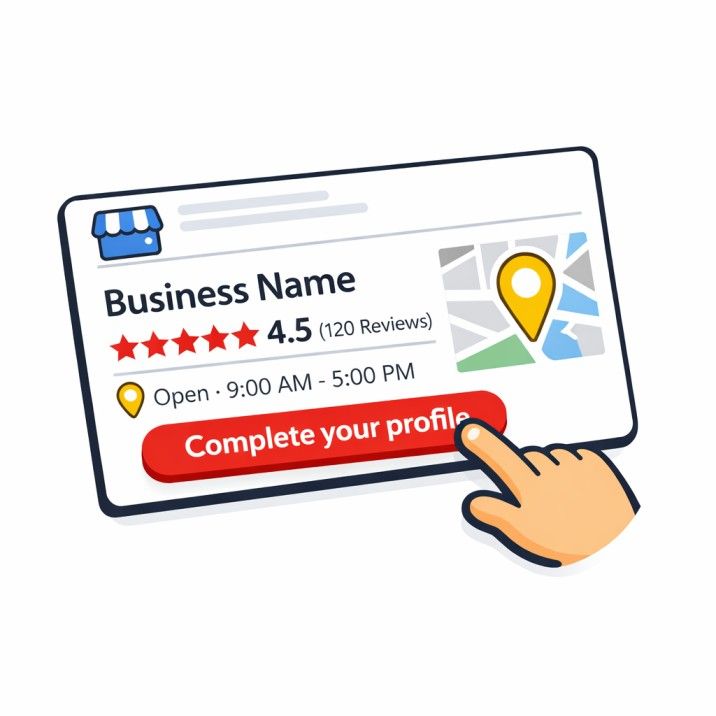
Your Google Business Profile (GBP) is the single most important ranking factor for appearing in the local map pack. According to Whitespark's 2023 Local Search Ranking Factors survey, GBP signals account for roughly 32% of local pack ranking factors. If you do nothing else on this list, do this section first.
Claim and verify your profile
If you haven't already, go to business.google.com and claim your listing. Google will verify you by postcard, phone, email, or video depending on your business type. Until you're verified, you can't make edits or respond to reviews.
Choose the right primary category
Your primary category is the strongest signal Google uses to decide which searches show your business. Be as specific as possible.
"Personal Injury Attorney" beats "Attorney." "Emergency Plumber" beats "Plumber." "Thai Restaurant" beats "Restaurant."
Look at what the top three businesses in your area use for their category. If your closest competitor ranks above you and uses a more specific category, that's likely a factor.
Add all relevant secondary categories
You can add up to nine secondary categories. Add every category that accurately describes what you do. An HVAC company might add "Air Conditioning Contractor," "Heating Contractor," "Furnace Repair Service," and "Duct Cleaning Service."
Do not add categories for services you don't offer. That violates Google's guidelines and can trigger a suspension.
Complete every field in your profile
- [ ] Business name (exact legal name no keyword stuffing)
- [ ] Address (exact and consistent with your website)
- [ ] Phone number (local number, not a toll-free 800 line)
- [ ] Website URL (link to a location-specific page if you have multiple locations)
- [ ] Business hours (including special holiday hours)
- [ ] Business description (up to 750 characters, include your main services and service area naturally)
- [ ] Services and products (list every service with a description)
- [ ] Attributes (wheelchair accessible, free Wi-Fi, women-owned, veteran-owned, etc.)
- [ ] Opening date
Upload high-quality photos
According to Google's own data, businesses with more than 100 photos get 520% more calls than the average business. You don't need 100 on day one, but aim for at least 10 to start and add new ones monthly.
Photos to upload:
- [ ] Storefront exterior (helps Google verify your location)
- [ ] Interior shots from multiple angles
- [ ] Team and staff photos
- [ ] Photos of your work (before/after shots are great for home services)
- [ ] Product photos if applicable
- [ ] Short videos (under 30 seconds)
Post weekly
GBP posts show activity and engagement signals. They expire after seven days, so consistency matters. Rotate between:
- What's New posts: business updates, tips, behind-the-scenes content
- Offer posts: promotions with clear start and end dates
- Event posts: any upcoming events with dates and details
Seed your Q&A section
Don't leave this empty. Add the five to ten questions your customers ask most often, and answer them yourself. This is prime real estate that also helps AI search tools understand what your business does.
Local On-Page SEO Checklist
Your website is the foundation that supports everything else. Without proper on-page SEO, even a perfect Google Business Profile won't rank you as high as it could.
Homepage optimization
- [ ] H1 tag includes your primary service and city (e.g., "HVAC Services in Austin, TX")
- [ ] Title tag is 50-60 characters with your main keyword toward the front
- [ ] Meta description is 140-160 characters, reads like ad copy, includes your city and service
- [ ] First 100 words clearly state what you do, where you do it, and why a customer should care
- [ ] Your NAP (name, address, phone) is visible in the footer and on your contact page
Service pages
Create a separate page for each core service. A plumber needs individual pages for drain cleaning, water heater repair, pipe repair, sewer line service, and emergency plumbing not one page that lists everything.
Each service page should include:
- [ ] H1 with service + city
- [ ] 500+ words of unique content (not a copy-pasted template with the city name swapped)
- [ ] At least one customer-focused question as an H2 or H3
- [ ] Internal links to related service pages and your contact/booking page
- [ ] A clear call to action with your phone number
Location pages
If you serve multiple cities or neighborhoods, create a dedicated page for each one. But only if you actually serve that area. Google's Helpful Content system can detect thin, templated location pages that exist only for SEO.
Each location page needs genuinely unique content. Mention local landmarks, neighborhoods, specific challenges in that area, and real details that show you actually work there.
URL structure
Keep URLs short, lowercase, with hyphens between words.
Good: /services/drain-cleaning-austin
Bad: /services/the-best-drain-cleaning-services-in-austin-texas-2026
Image optimization
- [ ] Compress all images (use WebP format where possible)
- [ ] Write descriptive alt text for every image (describe what the image shows, don't stuff keywords)
- [ ] Use descriptive file names:
kitchen-sink-drain-repair.webp, notIMG_4821.jpg
NAP Consistency and Citation Checklist
NAP stands for Name, Address, and Phone number. These three details must be identical everywhere your business appears online. Even small differences "Street" vs "St." or "Suite 200" vs "#200" can confuse Google and weaken your local rankings.
Common inconsistencies to check
- "123 Main Street" vs "123 Main St" vs "123 Main St."
- "Suite 200" vs "#200" vs "Ste 200"
- "(512) 555-1234" vs "512-555-1234"
- Old addresses from before you moved
- Old phone numbers from a provider switch
- A DBA name on some listings and your legal name on others
How to audit your NAP
- Google your business name plus your city
- Check every result on the first two pages
- Use a free citation scanner like BrightLocal or Moz Local to find inconsistencies
- Document every incorrect listing in a spreadsheet
- Claim and update each listing one by one
Core citation sources to claim (US businesses)
Work through these in order of priority:
- [ ] Google Business Profile
- [ ] Apple Business Connect (Apple Maps)
- [ ] Bing Places for Business
- [ ] Yelp
- [ ] Facebook Business Page
- [ ] Better Business Bureau (BBB)
- [ ] Industry-specific directories (see table below)
- [ ] Local directories (Chamber of Commerce, local business associations)
- [ ] Data aggregators (Data Axle, Localeze, Foursquare these feed hundreds of smaller sites)
Industry-specific directories
Pick the directories that match your trade:
- HVAC / Plumbers / Roofers / Electricians: HomeAdvisor, Angi, Houzz, Thumbtack, Porch
- Dentists / Doctors: Healthgrades, Zocdoc, Vitals, WebMD
- Attorneys: Avvo, FindLaw, Justia, Lawyers.com
- Auto Repair: RepairPal, Carfax, AutoMD
- Cleaning Services: Thumbtack, Handy, Bark
How many citations do you need?
Most local businesses need 40 to 80 quality citations. Check how many your top-ranking competitors have and aim to match or slightly exceed that number. Quality and accuracy matter more than raw quantity.
Review Management Checklist
Reviews are the third most important local ranking factor according to Whitespark's research, right behind GBP optimization and proximity to the searcher. But beyond rankings, reviews directly influence whether a customer calls you or your competitor.
Build a review acquisition system
Don't leave reviews to chance. Create a repeatable process:
- [ ] Create a direct review link using Google's URL format:
https://search.google.com/local/writereview?placeid=YOUR_PLACE_ID - [ ] Send an automated email or SMS within 24-48 hours after completing a job
- [ ] Train your team to ask for a review after every positive interaction
- [ ] Print the review link as a QR code on business cards or job completion receipts
- [ ] Aim for 5-10 new reviews per month, spread out naturally
Do not offer discounts or incentives for reviews. That violates Google's policies and can get your reviews stripped.
Respond to every review
Google's local ranking algorithm considers your response rate. Respond to every review positive and negative within 48 hours.
For positive reviews, thank the customer by name and mention a specific detail from their experience.
For negative reviews, acknowledge the problem, apologize without being defensive, and take the conversation offline by offering a phone number or email. Never argue in public. One professional response is all you need. If a review is fake or violates Google's policies, flag it for removal through your GBP dashboard.
Monitor your review velocity
A 4.5-star rating with a steady stream of recent reviews outranks a 5.0-star rating with reviews that stopped six months ago. Consistency signals to Google that your business is active and customers keep choosing you.
Local Link Building Checklist
Backlinks are how Google measures your website's authority. For local businesses, links from other local organizations carry significantly more weight than generic high-DA links from unrelated sites.
For a deep dive into free link building tactics, read our companion guide: Local SEO Backlinks: 7 Free Ways to Build Them.
Quick-win local link sources
- [ ] Join your local Chamber of Commerce (most include a website link with your listing)
- [ ] Sponsor a local sports team, charity event, or school program
- [ ] Partner with complementary local businesses for cross-referrals (a roofer and a gutter company, a dentist and an orthodontist)
- [ ] Get listed in your city or county's local business directory
- [ ] Pitch a story to your local newspaper about a community project or milestone
- [ ] Sign up for HARO (now Connectively) to get quoted in publications as a local expert
What to avoid
Do not buy links from Fiverr. Do not sign up for private blog networks (PBNs). Do not run reciprocal link schemes at scale. These tactics carry real penalty risk, especially for a newer site.
For more link building strategies, check out 5 Simple Hacks for Local Link Building.
Technical SEO for Local Businesses
Technical issues create a ceiling on your rankings. Even perfect content and reviews can't overcome a site that Google can't properly crawl or that loads slowly on phones.
Crawlability and indexing
- [ ] Submit an XML sitemap to Google Search Console
- [ ] Check that robots.txt isn't blocking important pages
- [ ] Run a
site:yourdomain.comsearch in Google to see what's indexed - [ ] Use Search Console's Pages report to identify indexing errors
- [ ] Fix or noindex any thin pages (tag pages, internal search results, empty category pages)
Page speed and Core Web Vitals
Google uses three Core Web Vitals metrics as ranking signals. Focus on mobile scores since that's what Google indexes:
- LCP (Largest Contentful Paint): Under 2.5 seconds. The biggest content element on the page should load fast.
- INP (Interaction to Next Paint): Under 200 milliseconds. The page should respond quickly when someone taps a button or fills a form.
- CLS (Cumulative Layout Shift): Under 0.1. Nothing on the page should jump around while it loads.
Common speed fixes for local business sites: compress images, remove unused plugins, use a CDN, minimize third-party scripts, and enable browser caching.
Mobile usability
Over 60% of local searches happen on mobile devices. Check your site on a real phone, not just desktop. Look for:
- [ ] Tap targets large enough to hit with a thumb
- [ ] Text readable without zooming
- [ ] No horizontal scrolling
- [ ] Phone number is tap-to-call
- [ ] Forms are easy to fill on mobile
HTTPS
Your site must run on HTTPS with a valid SSL certificate. If your URL bar shows "Not Secure," you're losing trust and rankings. Most hosting providers offer free SSL through Let's Encrypt.
Fix broken links
Run a crawl with Screaming Frog (free for up to 500 URLs) or a similar tool at least once a month. Find and fix any broken internal links, 404 errors, and redirect chains.
Local Schema Markup Checklist
Schema markup is code you add to your website that helps search engines understand your business information in a structured way. For local businesses, it's the equivalent of handing Google a perfectly organized business card instead of making them read your whole site to figure out your address.
Required schema for local businesses
- [ ] LocalBusiness (or a more specific type like
Plumber,Dentist,LegalService,Electrician,HVACBusiness) - [ ] Business name, address, phone number, and URL
- [ ] Geographic coordinates (latitude and longitude)
- [ ] Opening hours
- [ ] Service area (if you're a service-area business)
Recommended additional schema
- [ ] AggregateRating if you display reviews on your site
- [ ] FAQPage for your FAQ sections (helps with featured snippets and AI citations)
- [ ] Service detailed descriptions of each service you offer
- [ ] BreadcrumbList helps Google understand your site structure
- [ ] Organization for your brand entity with logo, social links, and founding info
How to validate your schema
After adding schema markup, test it using Google's Rich Results Test at search.google.com/test/rich-results. Fix any errors or warnings before moving on.
AI Search Optimization for Local Businesses
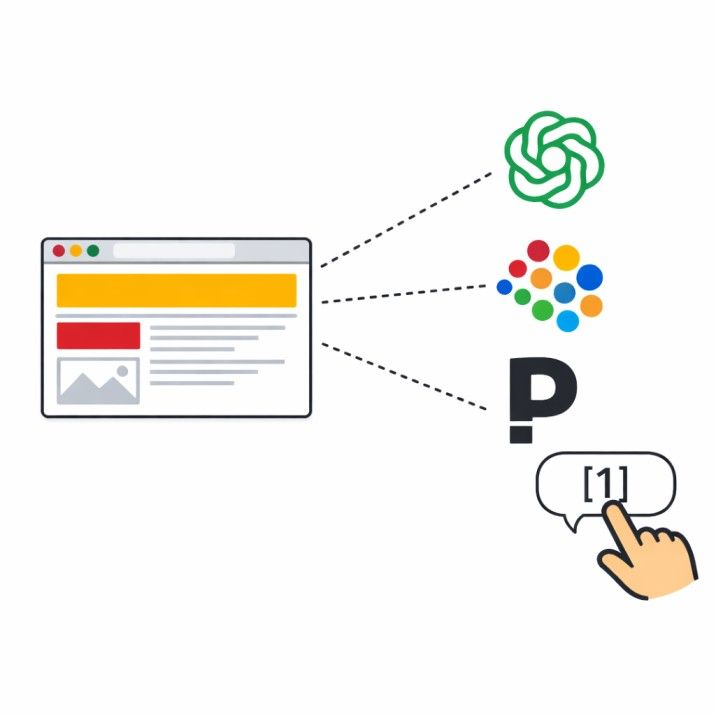
This is the newest and fastest-changing part of local SEO. In 2026, a growing number of customers find local businesses by asking AI tools like ChatGPT, Perplexity, Google AI Overviews, and Claude for recommendations. If your business isn't structured to be cited by these tools, you're invisible to a rapidly growing segment of searchers.
How AI tools choose which businesses to cite
AI search tools pull from web pages where the answer is clearly stated near the top of the page, where the business has structured signals of authority (schema, author info, real reviews), and where the brand is mentioned across multiple other sites on the web.
The more places your business name shows up in relevant contexts directory listings, local news articles, industry publications, customer reviews the more likely an AI tool is to recognize you as an entity worth recommending.
AI search optimization checklist
- [ ] Make sure your website is crawlable by AI bots (GPTBot, ClaudeBot, PerplexityBot). Check your robots.txt to confirm you're not blocking them.
- [ ] Lead with the answer on every page. The first one to two sentences under each heading should be a complete, standalone answer to the question that heading asks.
- [ ] Use question-shaped subheadings ("What does emergency plumbing cost?", "How long does a roof inspection take?")
- [ ] Add comparison tables for "X vs Y" content. AI tools frequently lift tables and cite the source.
- [ ] Include original data whenever possible your own project stats, local pricing averages, job completion times. AI tools and journalists both cite original data.
- [ ] Build your brand entity across the web. Get mentioned in local directories, your Chamber of Commerce, local news sites, and industry-specific platforms. Each mention strengthens AI's association between your brand and your services.
- [ ] Consider adding an
llms.txtfile to your site root a structured summary of your most important pages for AI crawlers. Adoption is early but growing.
What doesn't work for AI citations
- Generic AI-generated content with no original perspective or data
- Hiding answers behind popups, cookie walls, or long preambles
- Pages with no clear author or business entity behind them
- Trying to embed instructions for AI in your page content (AI systems ignore or penalize this)
If you're not sure whether your site is showing up in AI search results, get a free SEO audit and we'll check.
Content Strategy Checklist for Local SEO
Content is what gives Google and AI tools something to rank you for. Without pages targeting the questions your customers actually ask, you're relying entirely on your GBP listing and hoping proximity is enough.
Types of content every local business needs
- Service pages One page per core service with unique, detailed content (covered above in on-page SEO)
- Location pages One per service area, with genuinely unique local content
- FAQ content Answer the real questions customers ask you on the phone every week
- Local guides "Cost of [service] in [city]", "How to choose a [provider] in [city]", "When to call a [provider]"
- Case studies or project showcases Real examples of your work with specific details (square footage, time to complete, challenges solved)
Content quality standards
- [ ] Every post is written at a Grade 7 reading level (use the Hemingway Editor to check)
- [ ] Short paragraphs three to four sentences maximum
- [ ] Include at least one comparison table or checklist per post
- [ ] Include data from named sources (not "studies show")
- [ ] Every FAQ answer starts with a direct, complete sentence that works as a standalone answer
- [ ] Every post links to at least two other pages on your site and one external authority source
- [ ] Every post ends with a clear call to action
Content you should NOT create
- Thin, templated city pages that swap only the city name
- Content copied or lightly rewritten from competitors
- Blog posts on topics unrelated to your services (it dilutes your topical authority)
- AI-generated content published without human editing, original examples, or unique data
Tracking and Measuring Local SEO Results
You can't improve what you don't measure. Set up tracking from day one so you know what's working and where to focus next.
Essential tracking tools
- [ ] Google Search Console Free. Shows which searches your site appears for, your click-through rate, and any indexing issues. Check weekly.
- [ ] Google Analytics (GA4) Free. Tracks website visitors, traffic sources, and conversions (phone calls, form submissions, bookings).
- [ ] Google Business Profile Insights Built into your GBP dashboard. Shows how many people viewed your profile, clicked for directions, called, or visited your website.
- [ ] Ahrefs Webmaster Tools Free. Monitors your backlink profile, shows which keywords you rank for, and flags technical issues.
- [ ] Call tracking Optional but valuable. Tools like CallRail or WhatConverts let you track which marketing channels generate phone calls.
Key metrics to watch monthly
- Local pack visibility Are you showing up in the top 3 map results for your main keywords?
- Organic traffic from local keywords Is your website traffic growing from people in your area?
- GBP actions Are calls, direction requests, and website clicks from your profile increasing?
- Review count and rating Are you gaining reviews at a steady pace?
- Citation accuracy Are your listings still correct? (Check quarterly)
- Keyword positions Are your target keywords trending upward?
Free vs Paid Local SEO Tools Comparison
| Task | Free Tool | Paid Tool | When to Upgrade |
|---|---|---|---|
| Keyword research | Google Keyword Planner, Google autocomplete | Ahrefs, Semrush | When you need competitor keyword data and search volume trends |
| Rank tracking | Google Search Console | BrightLocal, Whitespark | When you need local pack tracking by zip code or city |
| Citation building | Manual submissions | BrightLocal, Whitespark, Yext | When you have 3+ locations or need to manage 50+ citations |
| Backlink monitoring | Ahrefs Webmaster Tools, Google Search Console | Ahrefs, Semrush | When you need to audit competitors' backlinks for link building ideas |
| Site auditing | Screaming Frog (500 URLs free), Google PageSpeed Insights | Screaming Frog (paid), Sitebulb | When your site exceeds 500 pages |
| Review monitoring | Google Alerts, GBP dashboard | BrightLocal, Podium, Birdeye | When you need automated review requests and multi-platform monitoring |
| Schema testing | Google Rich Results Test | Schema App | When you need to manage schema across hundreds of pages |
For most small businesses doing local SEO themselves, the free tools are enough to get started. Upgrade when you hit the limits of what free tools can track, or when you'd rather pay for automation than spend the hours manually.
Get Your Local SEO Checked for Free
Not sure where your business stands? We'll audit your Google Business Profile, check your citations, review your website's on-page SEO, and show you exactly what to fix first.
Deep-Dive Local SEO Guides by Topic and Industry
This checklist gives you every action. When you are ready to go deeper on a specific area, jump to the guide that matches your priority:
- Local Backlinks: Best Backlinks for Local SEO (7 Free Ways). Link building without a budget.
- Citations Building for Local SEO: Complete Guide. NAP audit, tier-1 build, and cleanup.
- Dental Local SEO Guide. How dentists rank in Google Maps.
- Local SEO for Roofers. Storm-season SEO strategy for roofing companies.
- Citation Building Service and Local Authority Backlinks. Done-for-you options when time is short.
Related reading
- Cleaning Company SEO. The checklist applied to one trade, including the Google Business Profile categories cleaners get wrong.
Frequently Asked Questions
What is the most important local SEO ranking factor in 2026?
Your Google Business Profile is the single most important factor for local pack rankings. According to Whitespark's Local Search Ranking Factors study, GBP signals make up roughly 32% of the factors Google uses to rank businesses in the local map pack. That means claiming, verifying, and fully optimizing your profile should be step one for any local business.
How long does local SEO take to show results?
Most local businesses start seeing measurable improvements within three to six months of consistent optimization. Some quick wins — like fixing NAP inconsistencies or fully completing your Google Business Profile — can impact your visibility within weeks. But building real authority through reviews, backlinks, and content takes longer. The businesses that invest consistently over six to twelve months are the ones that hold top positions.
Do I need to hire an SEO agency or can I do local SEO myself?
You can absolutely handle the basics of local SEO yourself using this checklist. Claiming your GBP, building citations, asking for reviews, and writing service pages are all doable without hiring anyone. Where most business owners get stuck is the ongoing work — content creation, link building, technical fixes, and staying on top of algorithm changes. If you're spending more time on SEO than running your business, that's when bringing in a local SEO agency makes sense.
How do I get my business to show up in AI search results like ChatGPT and Google AI Overviews?
Getting cited by AI search tools requires your business to have a strong online presence across multiple platforms — not just your website. Make sure your site content leads with clear, direct answers. Use structured data (schema markup). Build your brand presence across directories, local news sites, and industry platforms. AI tools look for entities that appear consistently across the web, so the more places your business is mentioned in relevant contexts, the more likely it is to be recommended.
Is local SEO worth it for a small business on a tight budget?
Local SEO is one of the highest-ROI marketing investments a small business can make because much of it is free. Claiming your Google Business Profile costs nothing. Asking customers for reviews costs nothing. Building citations takes time but no money. According to BrightLocal's Local Consumer Review Survey, 98% of consumers read online reviews for local businesses, and 87% used Google to evaluate local businesses. The customers are already searching — local SEO just makes sure they find you.
Ashikur Rohoman
Founder | SEO link Builder and Website Optimizer
Md Ashikur Rohoman is the founder of LocalHero, a local SEO agency that helps service businesses rank higher on Google and get more calls. He's worked with plumbers, dentists, lawyers, and HVAC companies across the US to build real local visibility through backlinks, citations, and Google Business Profile optimization. Connect with him on LinkedIn
More local SEO playbooks
Ready to be the local hero in your city?
Get a free local SEO audit of your site, Google Business Profile, citations, and top three Map Pack competitors. You will see exactly where you can win in 30 seconds.
- No long term contracts
- No lock in
- Cancel anytime